


OEM Nav Hood controls w/o custom PCB.


Registered User
Joined: Apr 2010
Posts: 5
Likes: 0
I say all of that just to say what I was hoping for was to see if this was a fairly straight forward modification and what steps were involved.
I say this up front, I've not searched on this but, how much room is in hood once the factory screen is taken out? What can I reasonably expect to get in there?
Finally, would I be able to get this all to work with a bose radio?

I will do my best to add some pics and steps on what to do when I get home tonight.
I know it's a 7" screen but I do not have the exact measurements on me. I'll get them tonight for ya.
I know it's a 7" screen but I do not have the exact measurements on me. I'll get them tonight for ya.
Sorry got caught up in some other stuff, but I can answer some questions now for ya,
rough measured it, 8 x 4 1/2 x 3/4 of space in there.
I just got a Samsung Galaxy 2 7.0 for mine, fits good, but I will probably have to modify the plug for it to fit perfect.
Removing the screen is very easy and straight forward, only need a philips, small flat head and maybe a knife...
I'll post some pics later on got some other stuff to do right now.
rough measured it, 8 x 4 1/2 x 3/4 of space in there.
I just got a Samsung Galaxy 2 7.0 for mine, fits good, but I will probably have to modify the plug for it to fit perfect.
Removing the screen is very easy and straight forward, only need a philips, small flat head and maybe a knife...
I'll post some pics later on got some other stuff to do right now.

Registered
Joined: Aug 2005
Posts: 81
Likes: 1
From: Australia
Hope I'm not thread jacking, just trying to help, but there are some pictures of the inside of the hood in my thread:
https://www.rx8club.com/interior-aud...tablet-237158/
https://www.rx8club.com/interior-aud...tablet-237158/
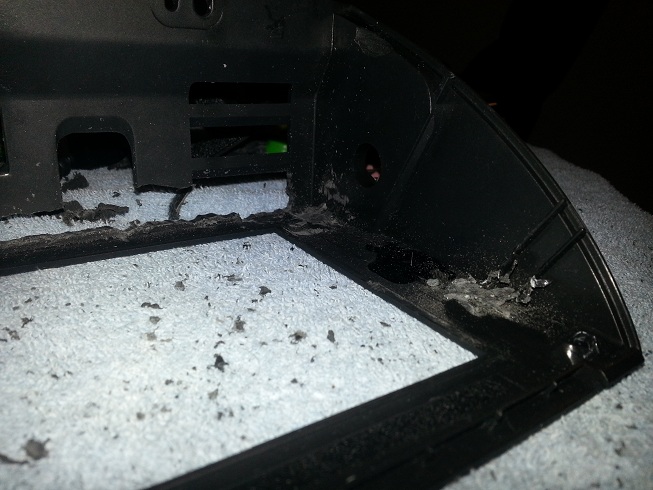
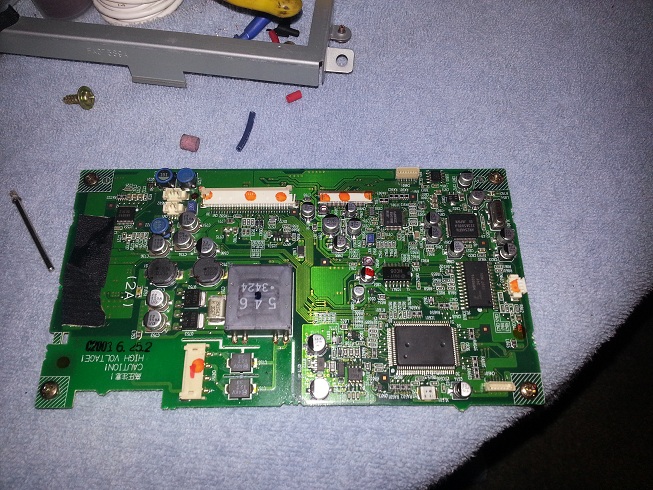
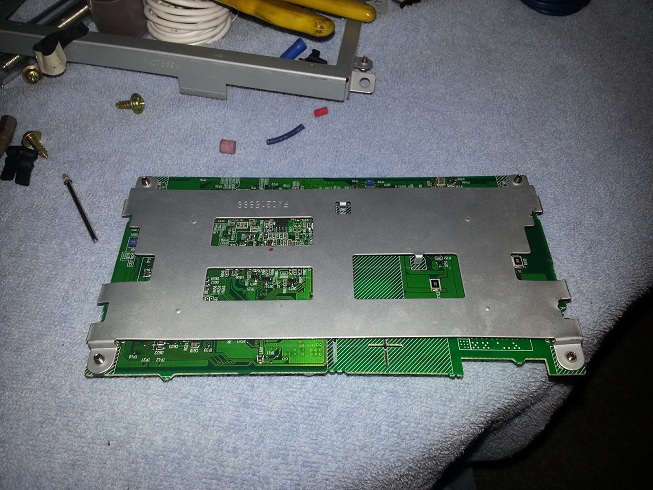

So I bought an ICS based 7" tablet today that I'm seriously considering breaking down and mounting in my OEM nav tray and shelve the JDM tray for a while.
http://cgi.ebay.com/ws/eBayISAPI.dll?ViewItem&item=200822103543&ssPageName=ADME:L:OC:US:3160
I did the wiring mentioned here, and in a couple other threads, quite some time ago but haven't gotten any further with it.
http://cgi.ebay.com/ws/eBayISAPI.dll?ViewItem&item=200822103543&ssPageName=ADME:L:OC:US:3160
I did the wiring mentioned here, and in a couple other threads, quite some time ago but haven't gotten any further with it.

Registered
Joined: Nov 2011
Posts: 36
Likes: 0
1.3_LittersOfFurry
with your galaxy tab 7
if you power if off (with the button so the device is completely off)
what happens when you connect a charger while it's off?
does the device just start charging or does it start up into the OS?
thanks
with your galaxy tab 7
if you power if off (with the button so the device is completely off)
what happens when you connect a charger while it's off?
does the device just start charging or does it start up into the OS?
thanks
Registered
Joined: Aug 2005
Posts: 81
Likes: 1
From: Australia
I think this directed at me, just trying to help. When off and plugged into the charger my Huawei MediaPad simply charges and doesn't boot. I also have a Samsung phone and it does not boot when plugged into the charger, it just shows a charging screen.
Registered
Joined: Nov 2011
Posts: 36
Likes: 0
I was going to get tasker to turn off the screen when the hood is down and when charging stops, tasker would power off the device entirely. to power it back on will require a button press (not hard to do with a small hole) but i was hoping to get it automated by the charging procedure.
That's going to be a no for powering on when plugged in, but I'll look around and see if there is a way to change that.
I also came up it a solution (that will probably only work for me) for recharging the tablet without killing the battery in the car, and without removing the tablet. I have a nice little 5 year old jumper pack with a USB charger built in to it. If need be I can throw the jumper on the passenger floor and let it charge the tablet over night, and then recharge the jumper the next day.
I also came up it a solution (that will probably only work for me) for recharging the tablet without killing the battery in the car, and without removing the tablet. I have a nice little 5 year old jumper pack with a USB charger built in to it. If need be I can throw the jumper on the passenger floor and let it charge the tablet over night, and then recharge the jumper the next day.
Registered
Joined: Nov 2011
Posts: 36
Likes: 0
That's going to be a no for powering on when plugged in, but I'll look around and see if there is a way to change that.
I also came up it a solution (that will probably only work for me) for recharging the tablet without killing the battery in the car, and without removing the tablet. I have a nice little 5 year old jumper pack with a USB charger built in to it. If need be I can throw the jumper on the passenger floor and let it charge the tablet over night, and then recharge the jumper the next day.
I also came up it a solution (that will probably only work for me) for recharging the tablet without killing the battery in the car, and without removing the tablet. I have a nice little 5 year old jumper pack with a USB charger built in to it. If need be I can throw the jumper on the passenger floor and let it charge the tablet over night, and then recharge the jumper the next day.
I had the same idea, i've got one too with 2 12v car charger ports on the side. still being able to start the tablet without pressing that button would be nicer but oh well i think using a tablet instead of a carpc is still a much nicer solution, so much less wiring.

Registered
Joined: Nov 2011
Posts: 36
Likes: 0
https://play.google.com/store/apps/d...re.nomoarpowah
maybe you could try this? it worked on my galaxy note.
I would test it myself with the tab but haven't bought it yet :p
it gives you a screen when power is connected with a reboot option :D if it works, problem solved
maybe you could try this? it worked on my galaxy note.
I would test it myself with the tab but haven't bought it yet :p
it gives you a screen when power is connected with a reboot option :D if it works, problem solved
Last edited by Lareon; Sep 28, 2012 at 06:01 AM.
Registered
Joined: Aug 2005
Posts: 81
Likes: 1
From: Australia
https://play.google.com/store/apps/d...re.nomoarpowah
maybe you could try this? it worked on my galaxy note.
I would test it myself with the tab but haven't bought it yet :p
it gives you a screen when power is connected with a reboot option :D if it works, problem solved
maybe you could try this? it worked on my galaxy note.
I would test it myself with the tab but haven't bought it yet :p
it gives you a screen when power is connected with a reboot option :D if it works, problem solved
I drilled a small hole to access the power button in hood just incase I need to reboot, you can't see it unless you're looking for it.
Last edited by Daisun; Sep 28, 2012 at 08:04 PM.
Just a heads up guys, I been lurking on tablet forums and I was warned that the battery could catch on fire if temps exceed 140*f. The cabin in my car reaches those temps in the summer, so I will be experimenting with how the tablet functions without the battery today.
Edit- It will not work without the battery. Starting to look into cooling ideas.
Edit- It will not work without the battery. Starting to look into cooling ideas.
Last edited by 1.3_LittersOfFurry; Sep 29, 2012 at 04:55 PM.
Registered
Joined: Nov 2011
Posts: 36
Likes: 0
Just a heads up guys, I been lurking on tablet forums and I was warned that the battery could catch on fire if temps exceed 140*f. The cabin in my car reaches those temps in the summer, so I will be experimenting with how the tablet functions without the battery today.
Edit- It will not work without the battery. Starting to look into cooling ideas.
Edit- It will not work without the battery. Starting to look into cooling ideas.
Well, I haven't rooted the tablet... yet. I did root my phone last week (remember I'm new to android, just switch from about 4 years of iPhone, takes me a little while to learn lol). But I will give it a try sometime next week on my vacation.
As far as the battery heat issues go, I have only come up with 2 possible solutions so far.
1.) Try relocating the battery to the bottom of the dash behind the radio, where it has the best chance to survive.
2.) Install a small PC fan into the hood (bottom section where it makes that big square hole). And have it come on with the key.
As far as the battery heat issues go, I have only come up with 2 possible solutions so far.
1.) Try relocating the battery to the bottom of the dash behind the radio, where it has the best chance to survive.
2.) Install a small PC fan into the hood (bottom section where it makes that big square hole). And have it come on with the key.
Registered User
Joined: Apr 2010
Posts: 5
Likes: 0
1.3_LittersOfFurry I had a question about the tablet your using. Are you able to charge the table and access the USB at the same time. I'm thinking of using the OTG USB functionality of the laptop to attach to a hard drive that I can easily remove from the car. I was thinking of the Tab but I was not sure if lost the usb when it was charging.
Also thanks for the pics you posted. It has convinced me that can do this. I am now in the process of pulling all the parts together. I'm hoping by this weekend that I'll have the nav hood and can start working on gutting and wiring.
Also thanks for the pics you posted. It has convinced me that can do this. I am now in the process of pulling all the parts together. I'm hoping by this weekend that I'll have the nav hood and can start working on gutting and wiring.
Registered
Joined: Aug 2005
Posts: 81
Likes: 1
From: Australia
1.3_LittersOfFurry I had a question about the tablet your using. Are you able to charge the table and access the USB at the same time. I'm thinking of using the OTG USB functionality of the laptop to attach to a hard drive that I can easily remove from the car. I was thinking of the Tab but I was not sure if lost the usb when it was charging.
Also thanks for the pics you posted. It has convinced me that can do this. I am now in the process of pulling all the parts together. I'm hoping by this weekend that I'll have the nav hood and can start working on gutting and wiring.
Also thanks for the pics you posted. It has convinced me that can do this. I am now in the process of pulling all the parts together. I'm hoping by this weekend that I'll have the nav hood and can start working on gutting and wiring.
I used a Huawei Mediapad which had a separate charging port and microUSB port.
Registered
Joined: Nov 2011
Posts: 36
Likes: 0
and yep Daisun's build made me change my entire idea and go for a tablet instead of a carpc
so thanks from me too!