


homelink programming problem


Thread Starter
Registered User
Joined: Jul 2003
Posts: 40
Likes: 0
From: Cleveland, OH
homelink programming problem
Has anyone had problems programming the homelink option to the garage door opener? My house has a Genie Pro unit and several attempts to program the homelink have been unsuccessful. The lights blink as advertised but the homelink buttons do not activate the unit.
I'll give this to the service department when I go in for the first oil change if I can't figure it out before then.
I'll give this to the service department when I go in for the first oil change if I can't figure it out before then.

Hubble has been saved!
Joined: Aug 2003
Posts: 1,221
Likes: 0
From: Richmond, VA
I had the same problem, or rather the dealer did when trying to show me how it worked (I didn't even realize that the car came with this feature). Neither one of us could get any of the HOMELINK buttons to program.
To get it to work I did the following:
1. Erase Programmed HomeLInk Buttons (Page 5-55 of manual). Hold two outside HomeLink buttons (1 and 3, not 1 and the auto-dimming on/off) for 20-30 sec until the light flashes.
2. Put the door opener about 1-3 inches away from the mirror and hold down both the door opener and the desired HomeLink button at the same time. The HomeLink light should immediately start blinking slowly and will switch to rapid flashing when the programming is complete.
It is confusing because the auto-dimming mirror on/off light is the top-half of the light referenced here. HomeLink is the bottom-half. Can you spell e r g o n o m i c s?
However, the ERASE seemed to fix things for me. There may also be an issue if your door opener uses a rolling code. See manual for details.
Good-luck!
To get it to work I did the following:
1. Erase Programmed HomeLInk Buttons (Page 5-55 of manual). Hold two outside HomeLink buttons (1 and 3, not 1 and the auto-dimming on/off) for 20-30 sec until the light flashes.
2. Put the door opener about 1-3 inches away from the mirror and hold down both the door opener and the desired HomeLink button at the same time. The HomeLink light should immediately start blinking slowly and will switch to rapid flashing when the programming is complete.
It is confusing because the auto-dimming mirror on/off light is the top-half of the light referenced here. HomeLink is the bottom-half. Can you spell e r g o n o m i c s?
However, the ERASE seemed to fix things for me. There may also be an issue if your door opener uses a rolling code. See manual for details.
Good-luck!

Registered
Joined: Aug 2002
Posts: 994
Likes: 0
From: Navarre, FL
I have a Genie Excelerator Lifetime, and here is what I did:
A. Use remote to program Homelink
1. Point remote at mirror (within 3 inches), and press and HOLD Homelink button AND remote button. Nothing happens at first, but keep holding. After 10 seconds or more, the light on the Homelink button will start to flash. Release buttons.
B. Program Genie opener to accept Homelink button (have a friend help).
1. Press 'Learn' button on garage opener.
2. Press and briefly hold Homelink button until status light on opener flashes slowly. Release Homelink button.
3. Press Homelink button one more time. Opener status light will go solid, then out.
I've noticed that when pushing the Homleink button, you can't just tap it - you must push and hold it momentarily for it to transmit.
A. Use remote to program Homelink
1. Point remote at mirror (within 3 inches), and press and HOLD Homelink button AND remote button. Nothing happens at first, but keep holding. After 10 seconds or more, the light on the Homelink button will start to flash. Release buttons.
B. Program Genie opener to accept Homelink button (have a friend help).
1. Press 'Learn' button on garage opener.
2. Press and briefly hold Homelink button until status light on opener flashes slowly. Release Homelink button.
3. Press Homelink button one more time. Opener status light will go solid, then out.
I've noticed that when pushing the Homleink button, you can't just tap it - you must push and hold it momentarily for it to transmit.

Registered
Joined: Jan 2003
Posts: 2,845
Likes: 1
From: Calgary, AB
Originally posted by B-Nez
1. Point remote at mirror (within 3 inches), and press and HOLD Homelink button AND remote button. Nothing happens at first, but keep holding. After 10 seconds or more, the light on the Homelink button will start to flash. Release buttons.
1. Point remote at mirror (within 3 inches), and press and HOLD Homelink button AND remote button. Nothing happens at first, but keep holding. After 10 seconds or more, the light on the Homelink button will start to flash. Release buttons.
Regards,
Gordon

Ero-sennin
Joined: Apr 2003
Posts: 769
Likes: 1
From: Chicago
Originally posted by B-Nez
I have a Genie Excelerator Lifetime, and here is what I did:
A. Use remote to program Homelink
1. Point remote at mirror (within 3 inches), and press and HOLD Homelink button AND remote button. Nothing happens at first, but keep holding. After 10 seconds or more, the light on the Homelink button will start to flash. Release buttons.
B. Program Genie opener to accept Homelink button (have a friend help).
1. Press 'Learn' button on garage opener.
2. Press and briefly hold Homelink button until status light on opener flashes slowly. Release Homelink button.
3. Press Homelink button one more time. Opener status light will go solid, then out.
I've noticed that when pushing the Homleink button, you can't just tap it - you must push and hold it momentarily for it to transmit.
I have a Genie Excelerator Lifetime, and here is what I did:
A. Use remote to program Homelink
1. Point remote at mirror (within 3 inches), and press and HOLD Homelink button AND remote button. Nothing happens at first, but keep holding. After 10 seconds or more, the light on the Homelink button will start to flash. Release buttons.
B. Program Genie opener to accept Homelink button (have a friend help).
1. Press 'Learn' button on garage opener.
2. Press and briefly hold Homelink button until status light on opener flashes slowly. Release Homelink button.
3. Press Homelink button one more time. Opener status light will go solid, then out.
I've noticed that when pushing the Homleink button, you can't just tap it - you must push and hold it momentarily for it to transmit.
also, my garage door stopped responding after a good 30 minutes of trying to program the buttons...i guess it overheated because it started working again after 30 minutes of cool down...

Registered User
Joined: Aug 2003
Posts: 14
Likes: 0
From: charleston wv
i had to push the button on the back of the opener ..and within 30 sec.. push the homelink button 2 or 3 times.. then the door went down..
the key MUST be off
that could be your prob
mike

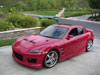
here is a photo of one of my other babies
the key MUST be off
that could be your prob
mike
here is a photo of one of my other babies

Registered User
Joined: Aug 2003
Posts: 14
Likes: 0
From: charleston wv
i drive her..and clean her too
car shows ., parades..etc.
it is in the corvette museum in bowling green ky right now.. i get her back october 15th
on loan for the 50th anniv event
here is a photo of my zo6
this one i drive
drag race ...autox etc..
doing the justin bell driving school sept 11th
cant wait :D
car shows ., parades..etc.
it is in the corvette museum in bowling green ky right now.. i get her back october 15th
on loan for the 50th anniv event
here is a photo of my zo6
this one i drive
drag race ...autox etc..
doing the justin bell driving school sept 11th
cant wait :D

Registered User
Joined: Jan 2003
Posts: 207
Likes: 0
Originally posted by mikeb
I gave up on mine. btw genie pro needs some special kit or installation to work with homelink that you need to get from genie
I gave up on mine. btw genie pro needs some special kit or installation to work with homelink that you need to get from genie
does it have Intellicode?
did you push the learn button on the garage door opener, then push the remove agaist the homelink?
as i know, homelink works with almost ALL garage door openers, especially old type
www.geniecompany.com

Registered User
Joined: Oct 2003
Posts: 102
Likes: 0
From: Texas
WOOHOO!!!! I got mine to work tonight...I didn't realize I had the rolling code thingy on mine.....If you look at the Head (motor) unit in your garage and you see a "learn" button then you have the rolling code and you need to follow the instructions in the manual pg. 5-55.....it also helped to wipe the memory clean first then program....I took me 3 tries but finally got it.. :D

Registered User
Joined: Nov 2003
Posts: 243
Likes: 0
From: Clearwater
Originally posted by BRx8
the garage door goes down then goes right back up...it happens sporadically so i have to sit there and watch to ensure that it stays down...it also now does it on my regular remote...
also, my garage door stopped responding after a good 30 minutes of trying to program the buttons...i guess it overheated because it started working again after 30 minutes of cool down...
the garage door goes down then goes right back up...it happens sporadically so i have to sit there and watch to ensure that it stays down...it also now does it on my regular remote...
also, my garage door stopped responding after a good 30 minutes of trying to program the buttons...i guess it overheated because it started working again after 30 minutes of cool down...
Yeah, they will overheat if they go up and down too many times.
I just installed a Chamberlin garage door opener and learned all this (anda few other things) the hard way.
HTH
greese

Young Rotor Head
Joined: Jan 2004
Posts: 302
Likes: 0
From: Roslyn, NY
Sorry for bringing this old topic back to life but I needed some guidance. Once the thing is on learn mode you just need to hold the homelink button and the garage door opener button simontanously?

Registered
Joined: Aug 2003
Posts: 242
Likes: 0
From: Irvine, Ca
I couldn't get mine to work until a guy held the garage remote under the left portion touching the mirror bottom part and held down the 1st home button and held the garage button and you saw it eating the data. I got home and it worked. lol :D

Banned
Joined: Feb 2004
Posts: 2
Likes: 0
Homelink Mirror
Hi,
Would it be possible for you guys to put some pictures here of this nice mirror ? I live in Europe and this mirror is not availible.... !
I would like a nice picture of this mirror fitted in your Rx-8. Also of how it is fixed to the windscreen and the roof (for wires I guess...)
I'm considering ordering such a mirror in the US, but would like to know if I can fit it into my EU-spec Rx-8. (think it will :-) )
Curious already :-) !
Extra question : is it possible to get this carpet (see picture) in the US to protect the cargo-floor ?
Thanks in advance !
Would it be possible for you guys to put some pictures here of this nice mirror ? I live in Europe and this mirror is not availible.... !
I would like a nice picture of this mirror fitted in your Rx-8. Also of how it is fixed to the windscreen and the roof (for wires I guess...)
I'm considering ordering such a mirror in the US, but would like to know if I can fit it into my EU-spec Rx-8. (think it will :-) )
Curious already :-) !
Extra question : is it possible to get this carpet (see picture) in the US to protect the cargo-floor ?
Thanks in advance !

New Member
Joined: Jul 2014
Posts: 7
Likes: 0
From: Wickliffe OH
 Program homelink with rolling code
I found the Mazda manual to be vague. I went to the home link website and from entering the site to having a working homelink button for my garage door, 4 minutes. Very clear.
Here are the instructions:
For first time training, press and hold the two outer HomeLink® buttons, releasing only when the HomeLink indicator light begins to flash, which may take up to 20 seconds. (Do not perform this step when training the additional HomeLink buttons.)
Position the hand-held transmitter 1-3 inches away from the HomeLink surface (usually located on your visor, overhead console, or mirror), keeping the HomeLink indicator light in view.
Using both hands, simultaneously press and hold both the desired HomeLink button and hand held transmitter button. DO NOT release until the HomeLink indicator light flashes slowly and then rapidly. When the indicator light flashes rapidly, both buttons may be released. (The rapid flashing indicates successful training.)
A second person may make the following steps quicker and easier. Please use a ladder or other device. Do not stand on your vehicle to perform the next steps. On the garage door motorhead, press and release the learn code button - the red LED will begin to blink.
Get back into your vehicle and press the desired HomeLink button one time.
Press the desired HomeLink button a second time.
Press the HomeLink button a third time. You should see the garage door open/close. HomeLink programming is complete.
If you need further assistance, please call HomeLink® Customer Care at 1-800-355-3515.
Here are the instructions:
For first time training, press and hold the two outer HomeLink® buttons, releasing only when the HomeLink indicator light begins to flash, which may take up to 20 seconds. (Do not perform this step when training the additional HomeLink buttons.)
Position the hand-held transmitter 1-3 inches away from the HomeLink surface (usually located on your visor, overhead console, or mirror), keeping the HomeLink indicator light in view.
Using both hands, simultaneously press and hold both the desired HomeLink button and hand held transmitter button. DO NOT release until the HomeLink indicator light flashes slowly and then rapidly. When the indicator light flashes rapidly, both buttons may be released. (The rapid flashing indicates successful training.)
A second person may make the following steps quicker and easier. Please use a ladder or other device. Do not stand on your vehicle to perform the next steps. On the garage door motorhead, press and release the learn code button - the red LED will begin to blink.
Get back into your vehicle and press the desired HomeLink button one time.
Press the desired HomeLink button a second time.
Press the HomeLink button a third time. You should see the garage door open/close. HomeLink programming is complete.
If you need further assistance, please call HomeLink® Customer Care at 1-800-355-3515.

Thread
Thread Starter
Forum
Replies
Last Post
JimmyBlack
Series I Major Horsepower Upgrades
273
Feb 10, 2020 10:23 PM
jasonrxeight
RX-8's For Sale/Wanted
2
Sep 30, 2015 01:53 PM
tommy26Germany
Series I Trouble Shooting
11
Sep 29, 2015 10:33 AM
