


Guino's CarPC Install, Pics & Videos

Thread Starter
Road Runner Developer
Joined: Mar 2006
Posts: 29
Likes: 0
From: Lexington, KY
 Guino's CarPC Install, Pics & Videos
Well, it's about time I posted some details of my install..
Had some delays to get some parts, and with my TS going bad then cracking a touch-screen placing it too tight, but finally got it all worked out..
CarPC Setup:
-Xenarc 700TSV (Replaced OEM LCD) -- IR remote works normally)
-Pundit-R Asus Book Size PC P4 2.2Ghz, 512Mb, 40Gb (in Trunk)
-Sirius SAT Radio with MitchJS interface board (in Trunk)
-Cinergy 600 FM/TV (No antenna currently -- still have stock HU)
-Cheap-O Deluo GPS (Rear Windshield)
-PIE Aux Mod for Mazda (for Aux In)
-Car2PC Adapter for USB interfacing with HU
-Temp Sensors to measure Car, Outside & Trunk Temperature
-ATI Remote Control (RF)
-WiFi & BlueTooth
-Inverter under the hood (Yeah, I know -- I just wanted it simple to wire)
-RoadRunner http://guino.home.insightbb.com
My DVD player is shot, so I'm prob. going to get a Slot Load USB one (as soon as some more $$$ is available).
There's nothing so new about the RX8 I guess. Pretty much Stock, Premium Sound (Bose), Navigation (now replaced).
Here are some Pics (2 Videos Bellow too):


And here are some Videos (Sorry, google reduces the video quality, I have those in better quality at request -- still, my skills aren't the best):
The Car:
http://video.google.com/videoplay?do...76607046759088
Road Runner Running (at low SIRIUS signal, so takes longer to change stations):
http://video.google.com/videoplay?do...49277979145542
Feel Free to ask more details,
Guino.
Had some delays to get some parts, and with my TS going bad then cracking a touch-screen placing it too tight, but finally got it all worked out..
CarPC Setup:
-Xenarc 700TSV (Replaced OEM LCD) -- IR remote works normally)
-Pundit-R Asus Book Size PC P4 2.2Ghz, 512Mb, 40Gb (in Trunk)
-Sirius SAT Radio with MitchJS interface board (in Trunk)
-Cinergy 600 FM/TV (No antenna currently -- still have stock HU)
-Cheap-O Deluo GPS (Rear Windshield)
-PIE Aux Mod for Mazda (for Aux In)
-Car2PC Adapter for USB interfacing with HU
-Temp Sensors to measure Car, Outside & Trunk Temperature
-ATI Remote Control (RF)
-WiFi & BlueTooth
-Inverter under the hood (Yeah, I know -- I just wanted it simple to wire)
-RoadRunner
http://guino.home.insightbb.comMy DVD player is shot, so I'm prob. going to get a Slot Load USB one (as soon as some more $$$ is available).
There's nothing so new about the RX8 I guess. Pretty much Stock, Premium Sound (Bose), Navigation (now replaced).
Here are some Pics (2 Videos Bellow too):
And here are some Videos (Sorry, google reduces the video quality, I have those in better quality at request -- still, my skills aren't the best):
The Car:
http://video.google.com/videoplay?do...76607046759088
Road Runner Running (at low SIRIUS signal, so takes longer to change stations):
http://video.google.com/videoplay?do...49277979145542
Feel Free to ask more details,
Guino.
Last edited by Guino; Mar 27, 2009 at 04:36 PM.



Thread Starter
Road Runner Developer
Joined: Mar 2006
Posts: 29
Likes: 0
From: Lexington, KY
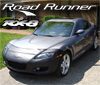
I had a honda previoulsy and that pic was taken before I had a chance to fine tune the software to a put a mazda logo in it.. The Mazda logo is shown in the videos. Of course you can change it to whatever you want.
EDIT: If you DON'T see anything different, well, THANKS!, it's exactly what I was looking for.. hahaha
EDIT: If you DON'T see anything different, well, THANKS!, it's exactly what I was looking for.. hahaha
Last edited by Guino; Jul 1, 2006 at 11:00 AM.

Registered User
Joined: Jun 2004
Posts: 39
Likes: 0
Hello,
I would like to know which model of Car2PC Adapter will work with the RX8?
Can you tell me where i can find this product?
I would like to know which model of Car2PC Adapter will work with the RX8?
Can you tell me where i can find this product?
Originally Posted by Guino
Well, it's about time I posted some details of my install..
Had some delays to get some parts, and with my TS going bad then cracking a touch-screen placing it too tight, but finally got it all worked out..
CarPC Setup:
-Xenarc 700TSV (Replaced OEM LCD) -- IR remote works normally)
-Pundit-R Asus Book Size PC P4 2.2Ghz, 512Mb, 40Gb (in Trunk)
-Sirius SAT Radio with MitchJS interface board (in Trunk)
-Cinergy 600 FM/TV (No antenna currently -- still have stock HU)
-Cheap-O Deluo GPS (Rear Windshield)
-PIE Aux Mod for Mazda (for Aux In)
-Car2PC Adapter for USB interfacing with HU
-Temp Sensors to measure Car, Outside & Trunk Temperature
-ATI Remote Control (RF)
-WiFi & BlueTooth
-Inverter under the hood (Yeah, I know -- I just wanted it simple to wire)
-RoadRunner http://guino.home.insightbb.com
My DVD player is shot, so I'm prob. going to get a Slot Load USB one (as soon as some more $$$ is available).
There's nothing so new about the RX8 I guess. Pretty much Stock, Premium Sound (Bose), Navigation (now replaced).
Here are some Pics (2 Videos Bellow too):


And here are some Videos (Sorry, google reduces the video quality, I have those in better quality at request -- still, my skills aren't the best):
The Car:
http://video.google.com/videoplay?do...76607046759088
Road Runner Running (at low SIRIUS signal, so takes longer to change stations):
http://video.google.com/videoplay?do...49277979145542
Feel Free to ask more details,
Guino.
Had some delays to get some parts, and with my TS going bad then cracking a touch-screen placing it too tight, but finally got it all worked out..
CarPC Setup:
-Xenarc 700TSV (Replaced OEM LCD) -- IR remote works normally)
-Pundit-R Asus Book Size PC P4 2.2Ghz, 512Mb, 40Gb (in Trunk)
-Sirius SAT Radio with MitchJS interface board (in Trunk)
-Cinergy 600 FM/TV (No antenna currently -- still have stock HU)
-Cheap-O Deluo GPS (Rear Windshield)
-PIE Aux Mod for Mazda (for Aux In)
-Car2PC Adapter for USB interfacing with HU
-Temp Sensors to measure Car, Outside & Trunk Temperature
-ATI Remote Control (RF)
-WiFi & BlueTooth
-Inverter under the hood (Yeah, I know -- I just wanted it simple to wire)
-RoadRunner
http://guino.home.insightbb.comMy DVD player is shot, so I'm prob. going to get a Slot Load USB one (as soon as some more $$$ is available).
There's nothing so new about the RX8 I guess. Pretty much Stock, Premium Sound (Bose), Navigation (now replaced).
Here are some Pics (2 Videos Bellow too):
And here are some Videos (Sorry, google reduces the video quality, I have those in better quality at request -- still, my skills aren't the best):
The Car:
http://video.google.com/videoplay?do...76607046759088
Road Runner Running (at low SIRIUS signal, so takes longer to change stations):
http://video.google.com/videoplay?do...49277979145542
Feel Free to ask more details,
Guino.
Thread Starter
Road Runner Developer
Joined: Mar 2006
Posts: 29
Likes: 0
From: Lexington, KY
No car2pc adapter (currently) works directly with the RX8.. I have a PIE-MBUS adapter then a car2pc-MBUS adapter to provide that interfacing... sometimes it's a little slow, but most of the time it works great. I heard they may be making a car2pc adapter for mazda pretty soon. You can find that adapter at www.indashpc.org


Registered
Joined: Aug 2004
Posts: 334
Likes: 0
From: Glendale, AZ
It is looking really good! I wish I had access to the navigation display unit, but I will make do.
The skins you are using, are they available somewhere?
The way Roadrunner looks to be working for you has helped me make up my mind on what to use for my car PC.
Pretty decent video clips. You give the front end a good workout. Again, it has helped me decide on what to use for a front end.
You have access to a lot of music there. How do the various systems sound? I noticed that the Sirius sounded a little flat. I would expect that some, but it is it really that noticable, or just an aspect of the video?
Also, the temp sensors spread around the car are a good idea. How did you accomplish that? I would like to add some for the engine fluids as well.
Thanks for posting this!
The skins you are using, are they available somewhere?
The way Roadrunner looks to be working for you has helped me make up my mind on what to use for my car PC.
Pretty decent video clips. You give the front end a good workout. Again, it has helped me decide on what to use for a front end.
You have access to a lot of music there. How do the various systems sound? I noticed that the Sirius sounded a little flat. I would expect that some, but it is it really that noticable, or just an aspect of the video?
Also, the temp sensors spread around the car are a good idea. How did you accomplish that? I would like to add some for the engine fluids as well.
Thanks for posting this!


Thread Starter
Road Runner Developer
Joined: Mar 2006
Posts: 29
Likes: 0
From: Lexington, KY
The "official" color is "Titanium Grey" hahaha
The skins are available at www.rrdownloads.net.. also at www.mobile-effects.com (you have to register as a user, but it's free with no ad/spam) -- currently I use the basic Brushed Skins.. (as in the video).
Both Sirius and XM sound a little flat compared to MP3 playback in Winamp with full EQ ON.. but it's definitely good quality and well worth your $$$.. it's possible to run it through an EQ or software emulated EQ, but I rather keep it simple (besides,I have basic EQ on the HU anyway).
The temperature sensor is a $30 kit you can order over the net or make it yourself.. I don't think it would withstand very high temperatures.. http://quozl.us.netrek.org/ts/ The components support readings from -55C to 125C but I'm unsure if the circuit supports such high numbers as to measure oil temp, etc.
PS: The honda emblem is long gone <- watch the video g'damn it! hehehe
The skins are available at www.rrdownloads.net.. also at www.mobile-effects.com (you have to register as a user, but it's free with no ad/spam) -- currently I use the basic Brushed Skins.. (as in the video).
Both Sirius and XM sound a little flat compared to MP3 playback in Winamp with full EQ ON.. but it's definitely good quality and well worth your $$$.. it's possible to run it through an EQ or software emulated EQ, but I rather keep it simple (besides,I have basic EQ on the HU anyway).
The temperature sensor is a $30 kit you can order over the net or make it yourself.. I don't think it would withstand very high temperatures.. http://quozl.us.netrek.org/ts/ The components support readings from -55C to 125C but I'm unsure if the circuit supports such high numbers as to measure oil temp, etc.
PS: The honda emblem is long gone <- watch the video g'damn it! hehehe
Last edited by Guino; Jul 5, 2006 at 10:50 PM.

Guns, God, and Country
Joined: Mar 2006
Posts: 603
Likes: 2
From: Hidalgo
dude that is awesome. If my car did not have nav from the factory what exactly would I need? Can you make a list of every component needed or can you direct me. I would like that exact setup and a price range for everything.

Originally Posted by jeffe19007
It is looking really good! I wish I had access to the navigation display unit, but I will make do.
The skins you are using, are they available somewhere?
The way Roadrunner looks to be working for you has helped me make up my mind on what to use for my car PC.
The skins you are using, are they available somewhere?
The way Roadrunner looks to be working for you has helped me make up my mind on what to use for my car PC.
Didn't you get a chance to look at my car NAV/PC/MP3/DVD thing at the meet/show at Avondale?
I'm running RR with a custom skin that I made. Its up on Guino's site along with a ton of other great skins.
I didn't have the OEM NAV, either. I'm using a JDM RX-8 nav tray.
Registered
Joined: Aug 2004
Posts: 334
Likes: 0
From: Glendale, AZ
Mazdamaniac,
I didn't get a serious look at your setup. I was feeling I had already done the 20 question thing with you and didn't want to wear out my welcome.
What I did see of your setup, I liked. I was looking at Roadrunner, but was not finding a decent site for it. The first one Guino pointed me to, I hadn't been to before.
I will be back to you with some more questions on the GTech, and getting that interfaced in. I don't know if Roadrunner handles that yet...
I didn't get a serious look at your setup. I was feeling I had already done the 20 question thing with you and didn't want to wear out my welcome.
What I did see of your setup, I liked. I was looking at Roadrunner, but was not finding a decent site for it. The first one Guino pointed me to, I hadn't been to before.
I will be back to you with some more questions on the GTech, and getting that interfaced in. I don't know if Roadrunner handles that yet...

Lets go Caps!
Joined: Mar 2005
Posts: 154
Likes: 0
Looks good man, I like the video I hadn't seen that yet.
I put the rest of my project on hold for now because I bought an Xbox 360...I'll keep you posted when I do finish it since it's a bit of a different route than other people have taken.
I put the rest of my project on hold for now because I bought an Xbox 360...I'll keep you posted when I do finish it since it's a bit of a different route than other people have taken.

Registered User
Joined: Feb 2006
Posts: 14
Likes: 0
From: Ann Arbor, MI
Nice install, love the videos. I'll be doing a very similar install in the near future.
Can you post a picture of where you put your GPS and/or how you ran the wiring? I'd also love to see how you mounted your computer and its peripherals (optical drive).
Can you post a picture of where you put your GPS and/or how you ran the wiring? I'd also love to see how you mounted your computer and its peripherals (optical drive).
Last edited by BeefyBen; Jul 19, 2006 at 11:01 AM.
Thread Starter
Road Runner Developer
Joined: Mar 2006
Posts: 29
Likes: 0
From: Lexington, KY
I don't have pics of the computer with the wiring in the trunk yet. I am waiting a friend to build me a box to keep it organized in the back... for now I just have some carton-board around the computer in the recess of the trunk (it's a slimmer PC). The GPS I mounted on the back between the speakers (kind of on top of the OEM gps location) -- you can see it in the first fideo when I rotate the camera while booting the PC. My optical drive will be mounted sideways in the middle between the backseat and the center-console (just squeezed there) -- I ran short of $$$ and haven't yet got that in place yet.. so I'm still running the normal drive on the PC itself.

Thread
Thread Starter
Forum
Replies
Last Post
JimmyBlack
Series I Major Horsepower Upgrades
273
Feb 10, 2020 10:23 PM
Brooklynite
NE For Sale/Wanted
4
Nov 10, 2015 06:42 PM
projectr13b
Series I Do It Yourself Forum
1
Sep 6, 2015 01:04 PM


