


Can anyone with Audiolink adapter try the iPhone?


Can anyone with Audiolink adapter try the iPhone?
I have the Audiolink adapter but want to know if it works with the iPhone before tearing apart the center console.
Does anyone have this combo? or, can anyone with the Audiolink get a friend or something to plug in their iPhone to see if it is compatible?
I tried emailing RPM and they don't have an answer as of yet.
Does anyone have this combo? or, can anyone with the Audiolink get a friend or something to plug in their iPhone to see if it is compatible?
I tried emailing RPM and they don't have an answer as of yet.
Last edited by Mugatu; Jul 18, 2007 at 09:58 PM.
I zoom therefore I am.
Joined: Mar 2007
Posts: 4,919
Likes: 12
From: San Jose, CA
after going through www.ilounge.com (best place for all things Ipod) the best I could find was this: http://www.ilounge.com/index.php/art...-need-to-know/
It basically states it may or may not work.. there's no way to tell till you try it.
No guts, no glory. Install the Audiolink and let the rest of us know.
PS You can ship your Iphone to me and i'll try it on my audiolink.
It basically states it may or may not work.. there's no way to tell till you try it.
No guts, no glory. Install the Audiolink and let the rest of us know.
PS You can ship your Iphone to me and i'll try it on my audiolink.

Registered User
Joined: Jul 2007
Posts: 4
Likes: 0
i have the iphone and the audio link...and i can tell you that it works just like an ipod and sounds great..but i was hoping that the phone feature would work too...but it dont...it does not come out of the car speakers because the sound gets routed back to the ear piece..but on the bright side it does work in ipod mode..with changing buttons and folder...hope that helps...
i have the iphone and the audio link...and i can tell you that it works just like an ipod and sounds great..but i was hoping that the phone feature would work too...but it dont...it does not come out of the car speakers because the sound gets routed back to the ear piece..but on the bright side it does work in ipod mode..with changing buttons and folder...hope that helps...
anyone else confirm that doesn't have zero posts and 'phone' in their name?


Registered
Joined: Jun 2007
Posts: 27
Likes: 0
From: Dalton, GA
i have the iphone and the audio link...and i can tell you that it works just like an ipod and sounds great..but i was hoping that the phone feature would work too...but it dont...it does not come out of the car speakers because the sound gets routed back to the ear piece..but on the bright side it does work in ipod mode..with changing buttons and folder...hope that helps...
So many devices lock out the ipod controls and if so I don't see how the phone part would work.
I too am looking for a hookup for my Iphone.
he is saying that the ipod part of it works fine, but when you get a call, it switches over to the headset jack and the call doesn't come through the speakers.
can anyone else confirm this?
can anyone else confirm this?
Registered User
Joined: Jul 2007
Posts: 4
Likes: 0
ok here it goes again...when you plug it in to your audiolink it works fine...a display message just say.."this accessory might not work with the iphone..would you like to turn on airplane mode?" just hit no and you're ready to listen to your iphone...only draw back is that i thought when you get a call it would go thru your car speakers but it dont...
this is the option im using..
plug the iphone in and listen to music...when i get a call the volume tunes down and the ringer activate...then i use my bluetooth head set to pick up the call..
tomorrow i will try plugging in the audiolink..and the headphone jack at onces..since when you have the iphone earphones in it transfer to the headphones...so that might it a work around to get audio from calls to your speakers..will post tomorrow's result...
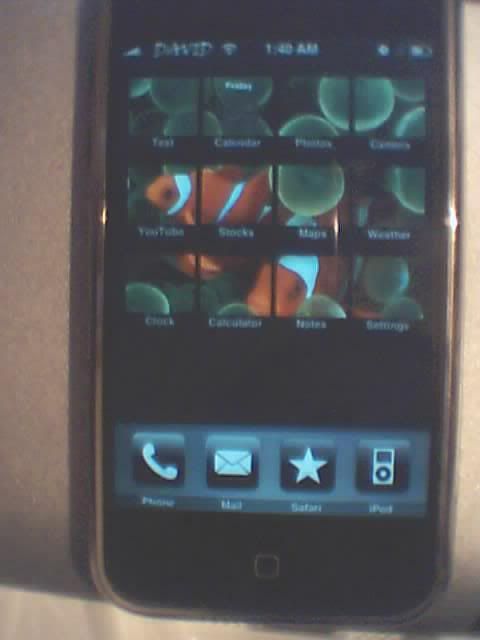
here is my modd iphone just for kicks...
this is the option im using..
plug the iphone in and listen to music...when i get a call the volume tunes down and the ringer activate...then i use my bluetooth head set to pick up the call..
tomorrow i will try plugging in the audiolink..and the headphone jack at onces..since when you have the iphone earphones in it transfer to the headphones...so that might it a work around to get audio from calls to your speakers..will post tomorrow's result...
here is my modd iphone just for kicks...
Registered User
Joined: Jul 2007
Posts: 4
Likes: 0
wow..it works..fully change tracks up and down..change folder and when you get a call it lowers the volume and transfer sound to your car speakers...here is what i did.
Connect the iphone to the audio link with the main cable and ALSO plug in the headphone jack of the audiolink right into the iphone (with a little mod to get it to fit) and it works..
You might have to talk loud because depending on where your iphone is..it is using its mic...hope that helps...im happy with that...so thats it from me...
Connect the iphone to the audio link with the main cable and ALSO plug in the headphone jack of the audiolink right into the iphone (with a little mod to get it to fit) and it works..
You might have to talk loud because depending on where your iphone is..it is using its mic...hope that helps...im happy with that...so thats it from me...

The devil made me do it
iTrader: (1)
Joined: Jul 2007
Posts: 3,708
Likes: 2
From: Colorado Springs, CO
You may want to invest in a cheap computer mic with the three band plug. Verify that it works with your iPhone and then hack it to get a mic installed somewhere else in the car, oh..I don't know...like in the sunglass holder or the top of the steering wheel.
how would you connect that mic to the iphone? you can't plug into the headphone jack, since i don't think that's considered an input, and also if what vodaphone is correct, you'd be using that headphone port anyway for the audiolink.
alright, i took the chance today and installed the Audiolink. It does in fact work with the iPhone for music capabilities. also, when a call is coming in, you will hear the music fade out and the ring come through the speakers, but once the call is answered, it goes to the internal speaker. i have not tried plugging in the audio wire, as it does not quite fit in enough in to the iPhone.
but it works. all i wanted was the ipod part of the phone to work anyway. it all works...playlists, steering wheel controls, everything.
but it works. all i wanted was the ipod part of the phone to work anyway. it all works...playlists, steering wheel controls, everything.
The devil made me do it
iTrader: (1)
Joined: Jul 2007
Posts: 3,708
Likes: 2
From: Colorado Springs, CO


Registered User
Joined: Jan 2008
Posts: 17
Likes: 0
From: San Mateo, CA
Not sure if they have the best deal out there, but you can find the audiolink at www.therpmstore.com

i haven't tried to strip and check the volts charge from the audiolink, but i did plug in the iphone to it once and it charged pretty fast. much faster than it would charge using the usb 5V. I have a feeling the voltage might be to high, so i never used it with the iphone again. might want to send an email to them to find out for sure.


Thread
Thread Starter
Forum
Replies
Last Post
Digitz0070
Series I Aftermarket Performance Modifications
55
Jul 25, 2017 08:40 PM
Learners_Permit
Series I Interior, Audio, and Electronics
8
Sep 27, 2015 07:38 PM
Digitz0070
Series I Aftermarket Performance Modifications
5
Sep 25, 2015 10:58 PM
