
Notices
RX-8 Multimedia/Photo Gallery Share your pics,videos or links to them.

Sunset pics in HDR

Thread Tools
 
Rate Thread
 
Old Sep 29, 2007 | 06:18 PM
  #26  
BigRed's Avatar
w8nkel
 
Joined: Sep 2006
Posts: 2,317
Likes: 0
From: Dallas
How so you make an HDR picture with a digital SLR? Is there a way to do it without using purchased software? Im taking a bunch of pictures tommorow for an 8 meet so thats why I am curious/
Reply
Old Sep 29, 2007 | 10:16 PM
  #27  
Wankel1's Avatar
RX8 Daily Driver
 
Joined: Sep 2005
Posts: 115
Likes: 0
From: Tampa, FL
Thumbs up

Good job, attention to detail, Bravo Don Juan..
Reply
Old Sep 30, 2007 | 02:19 AM
  #28  
DOMINION's Avatar
I don't buy Kool-Aid
 
Joined: Apr 2004
Posts: 8,823
Likes: 2
From: Vegas Baby!
Originally Posted by BigRed
How so you make an HDR picture with a digital SLR? Is there a way to do it without using purchased software? Im taking a bunch of pictures tommorow for an 8 meet so thats why I am curious/
You can take pix like this with the little $400 buck digi camaras but its not as cool as with the digi slr's. You need photoshop cs2 to merge them all or some other program that a guy on here said he is selling for $50. reg gos for $100. Now thats the trick. This photo style was og made on pc. Latter it was easer to capture/do with a digi slr.
Reply
Old Sep 30, 2007 | 04:01 AM
  #29  
CoMBo8's Avatar
My 8 is Sexy!
 
Joined: Dec 2006
Posts: 865
Likes: 0
very nice.
Reply
Old Sep 30, 2007 | 08:03 AM
  #30  
BigRed's Avatar
w8nkel
 
Joined: Sep 2006
Posts: 2,317
Likes: 0
From: Dallas
I can get a hold of photoshop. Is there a tutorial on how to merge the pics? Also, do I just take a bunch of pictures of the same exact location and then merge those?
Reply
Old Sep 30, 2007 | 01:15 PM
  #31  
A.Mair's Avatar
Thread Starter
Registered
 
Joined: Mar 2007
Posts: 1,623
Likes: 1
From: Vegas
you take three pics all of the same picture at different exposures, -2, 0 and +2 then merge them on photoshop CS2 using the hdr merge then tweak it until you get what you like using the histogram and then with tones and curves
Reply
Old Sep 30, 2007 | 04:15 PM
  #32  
Wanganrx8's Avatar
Registered User
 
Joined: Sep 2006
Posts: 298
Likes: 0
From: Port Charlotte FL
Originally Posted by DonJuanMair
you take three pics all of the same picture at different exposures, -2, 0 and +2 then merge them on photoshop CS2 using the hdr merge then tweak it until you get what you like using the histogram and then with tones and curves
wait wait wait. it's not exactly that easy. three stops will work most of the time but the more the better. i usually go with a good 6-8 if not even more sometimes. most people dont even know what hdr really is in the first place, they just think it looks cool. it's orginal purpose was to capture images with a greater range of lighting than any camera could handle. basically a scene that could no longer have it's brightness distributed evenly; like a sunset on a beach, where the lighting from the sun is way too bright and the landscape itself becomes dark. so that way the lighting could be merged by taking differant exposures and then mergeing them into a neutral image where light distribution is even. another good example of when do hdr is doorway that has low lighting and and object outside of it thats lit up.
Reply
Old Sep 30, 2007 | 06:00 PM
  #33  
A.Mair's Avatar
Thread Starter
Registered
 
Joined: Mar 2007
Posts: 1,623
Likes: 1
From: Vegas
I use it cus it looks cool. So my camera starts at -2 exposure all the way to +2 i usually take three shots. -2,0 and +2 should i take more shots in between those levels too then to achieve a better effect?
Reply
Old Sep 30, 2007 | 06:01 PM
  #34  
perks11's Avatar
HEADTURNER
 
Joined: Jan 2007
Posts: 1,100
Likes: 0
From: University of Missouri & STL
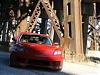
sweet pics!! love the way the car looks in those pictures
Reply
Old Sep 30, 2007 | 07:08 PM
  #35  
BigRed's Avatar
w8nkel
 
Joined: Sep 2006
Posts: 2,317
Likes: 0
From: Dallas
how do you change the settings on the camera then for the exposure or whatever?
Reply
Old Sep 30, 2007 | 07:47 PM
  #36  
A.Mair's Avatar
Thread Starter
Registered
 
Joined: Mar 2007
Posts: 1,623
Likes: 1
From: Vegas
Well i dont know what camera you have but doesnt your mom have a really cool camera i'm sure it was you. Turn on auto bracketing
Reply
Old Sep 30, 2007 | 07:54 PM
  #37  
BigRed's Avatar
w8nkel
 
Joined: Sep 2006
Posts: 2,317
Likes: 0
From: Dallas
Is it possible to do the HDR in cs1? but yeah, its her camera. good memory!
Reply
Old Sep 30, 2007 | 08:48 PM
  #38  
DOMINION's Avatar
I don't buy Kool-Aid
 
Joined: Apr 2004
Posts: 8,823
Likes: 2
From: Vegas Baby!

Cool

Originally Posted by BigRed
how do you change the settings on the camera then for the exposure or whatever?
Turn your digi cam on. When its in "raw mode" and not set to any pre sets that come with it, look for something like this on the back of your camara or top where you take the pic; +/- or -/+ on your camara. Mine was right in front of me the whole time
Anyway if its not right there where you can zoom in or out then go in to menu and look for that option. You will see as you move it to the - side that your display screen will get dark and as you move it to the + side your display screen will get bright.
Post your camara make and model or PM me. I can walk to a bestbuy up the street from my house. I'll let you know how to do it if they have your camara there.
Reply
Old Sep 30, 2007 | 08:52 PM
  #39  
DOMINION's Avatar
I don't buy Kool-Aid
 
Joined: Apr 2004
Posts: 8,823
Likes: 2
From: Vegas Baby!

Originally Posted by Wanganrx8
wait wait wait. it's not exactly that easy. three stops will work most of the time but the more the better. i usually go with a good 6-8 if not even more sometimes. most people dont even know what hdr really is in the first place, they just think it looks cool. it's orginal purpose was to capture images with a greater range of lighting than any camera could handle. basically a scene that could no longer have it's brightness distributed evenly; like a sunset on a beach, where the lighting from the sun is way too bright and the landscape itself becomes dark. so that way the lighting could be merged by taking differant exposures and then mergeing them into a neutral image where light distribution is even. another good example of when do hdr is doorway that has low lighting and and object outside of it thats lit up.
Yup. This is the reason why I want a digi camara. I just could not afford at the time to get a SLR like I wanted to. Next time.
Reply
Old Oct 1, 2007 | 09:00 PM
  #40  
opacRX's Avatar
Registered User
 
Joined: Jun 2006
Posts: 14
Likes: 0
From: Colorado Springs, CO
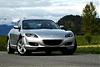
great pics the car looks really nice what color of blue is that? looks kinda baby blueish. or is that just how the sky made it look?
Reply
Old Oct 1, 2007 | 10:53 PM
  #41  
A.Mair's Avatar
Thread Starter
Registered
 
Joined: Mar 2007
Posts: 1,623
Likes: 1
From: Vegas
yeah thats the way the sky made it look, i have a winning blue
Reply
Old Oct 2, 2007 | 12:59 PM
  #42  
Rx-8 Putih's Avatar
Registered
 
Joined: Dec 2006
Posts: 141
Likes: 0
From: Seattle
very nice pic...I know how to play with the exposure, but how to combine those images to 1 image? I don't really know how to play with photoshop..
Help plzz.....
Reply
Old Oct 2, 2007 | 01:30 PM
  #43  
A.Mair's Avatar
Thread Starter
Registered
 
Joined: Mar 2007
Posts: 1,623
Likes: 1
From: Vegas
the way i did it is wrong, i dont know the correct way of doing it so i dont wanna give you the wrong advice. I posted my pics in a photgraphy forum too and they told me it was wrong. Once i find out exactly how to do it ill post it
Reply
Old Oct 2, 2007 | 01:46 PM
  #44  
delhi's Avatar
Grand Chancellor
 
Joined: Jul 2003
Posts: 2,733
Likes: 62
From: Home of the NIMBYs
Looks good! But the clouds look abit grainy especially the 3rd pic.
Reply
Old Oct 2, 2007 | 01:54 PM
  #45  
wholeeoh's Avatar
Registered User
 
Joined: Jul 2007
Posts: 19
Likes: 0
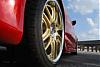
nice pics wat rims r those?
Reply
Old Oct 2, 2007 | 01:56 PM
  #46  
VASasha's Avatar
Registered User
iTrader: (5)
 
Joined: Oct 2005
Posts: 491
Likes: 0
From: Bethesda, MD
I would assume that a tripod is a must to be able to do this stuff? Although with photoshop I guess it is possible to crop and resize as necessary.
Reply
Old Oct 2, 2007 | 02:51 PM
  #47  
A.Mair's Avatar
Thread Starter
Registered
 
Joined: Mar 2007
Posts: 1,623
Likes: 1
From: Vegas
the rims are enkei's rp03 19x9.5.

Yeah you gotta have a tripod because you take three pictures of the same thing it has to match perfectly
Reply
Old Oct 2, 2007 | 05:43 PM
  #48  
Reedy's Avatar
Registered User
 
Joined: Mar 2007
Posts: 21
Likes: 0
From: Rockford IL
Originally Posted by DonJuanMair
yeah thats the way the sky made it look, i have a winning blue

Ya know I really thought it was Titianium Gray untill I got to the bottom and seen your signiture. Hottness for sure.
Reply
Old Oct 2, 2007 | 06:25 PM
  #49  
DOMINION's Avatar
I don't buy Kool-Aid
 
Joined: Apr 2004
Posts: 8,823
Likes: 2
From: Vegas Baby!
Originally Posted by VASasha
I would assume that a tripod is a must to be able to do this stuff? Although with photoshop I guess it is possible to crop and resize as necessary.
Yup tripod.
Reply
Old Oct 2, 2007 | 06:38 PM
  #50  
Fortunate Few's Avatar
Irollerblade.
iTrader: (2)
 
Joined: Apr 2007
Posts: 1,657
Likes: 1
From: Valencia, So-Cal
sexy.
Reply


You have already rated this thread Rating: Thread Rating: 0 votes,  average.


All times are GMT -5. The time now is 12:45 AM.