Notices
RX-8 Multimedia/Photo Gallery Share your pics,videos or links to them.

HDr pics of my Red 8

Thread Tools
 
Rate Thread
 
Old Apr 27, 2009 | 10:12 AM
  #1  
MazdaJeff's Avatar
Thread Starter
Registered
 
Joined: May 2007
Posts: 896
Likes: 0
From: Montreal
HDr pics of my Red 8

My so so attempt at HDR. What do you think?
Attached Thumbnails HDr pics of my Red 8-work.jpg   HDr pics of my Red 8-first-attempt.jpg  
Reply
Old Apr 27, 2009 | 10:14 AM
  #2  
dozer's Avatar
on his 3rd rx8
iTrader: (3)
 
Joined: Dec 2006
Posts: 6,036
Likes: 12
From: santa ana, ca
not bad, nice 8
Reply
Old Apr 27, 2009 | 10:19 AM
  #3  
epmacman's Avatar
Registered
 
Joined: Feb 2009
Posts: 24
Likes: 0
i think the bike shows the affects a lot more than the 8 and looks awesome.
Reply
Old Apr 27, 2009 | 10:24 AM
  #4  
NACer4lyf's Avatar
oh yeah!
iTrader: (1)
 
Joined: Feb 2009
Posts: 480
Likes: 0
From: Upstate SC
nice shots...and thumbs up on the bike bro very sharp lookin
Reply
Old Apr 27, 2009 | 10:29 AM
  #5  
Atilla's Avatar
I am THAT guy
iTrader: (1)
 
Joined: May 2007
Posts: 5,995
Likes: 12
From: Caca Cali
Not bad - iono why but towards the rear of the 8 it looks a lil' blurry. Iono how to put it into technical terms

The pic's came out far better than anything i have ever taken - so yeah, Big thumbs up IMO
Reply
Old Apr 27, 2009 | 10:54 AM
  #6  
MazdaJeff's Avatar
Thread Starter
Registered
 
Joined: May 2007
Posts: 896
Likes: 0
From: Montreal
Thanks guys. Here is a darker one. Although it is a bit grainy.
Attached Thumbnails HDr pics of my Red 8-8.jpg  
Reply
Old Apr 27, 2009 | 11:15 AM
  #7  
Zerotide's Avatar
Snick-Snick Gearbox
iTrader: (1)
 
Joined: Feb 2008
Posts: 483
Likes: 1
From: Nowhere
Psst... torrent... photomatix... do it now. Get rid of that watermark.


You didn't hear this from me.
Reply
Old Apr 27, 2009 | 11:20 AM
  #8  
MazdaJeff's Avatar
Thread Starter
Registered
 
Joined: May 2007
Posts: 896
Likes: 0
From: Montreal
^^^ LOL

Done!!
Reply
Old Apr 27, 2009 | 04:13 PM
  #9  
Razz1's Avatar
Mu ha.. ha...
 
Joined: Aug 2004
Posts: 14,361
Likes: 3
From: Cali
VR super sharp.

Best color!
Reply
Old Apr 27, 2009 | 04:51 PM
  #10  
mscamp02's Avatar
Blue Bullet?
iTrader: (3)
 
Joined: Dec 2008
Posts: 2,593
Likes: 1
From: morehead, Ky
you can def tell on the bike a whole lot more but the first pic of your car still looks good
Reply
Old Apr 27, 2009 | 07:36 PM
  #11  
\\Konig\\'s Avatar
turrrbo!
iTrader: (4)
 
Joined: May 2004
Posts: 2,325
Likes: 4
From: Santa Barbara
hmm somethings obviously wrong lol

are you making the HDR pics from a single RAW photo or using 3 jpegs at different exposures?
Reply
Old Apr 27, 2009 | 08:11 PM
  #12  
mscamp02's Avatar
Blue Bullet?
iTrader: (3)
 
Joined: Dec 2008
Posts: 2,593
Likes: 1
From: morehead, Ky
^
Is that how you do HDR pics? 3 different jpegs
Reply
Old Apr 27, 2009 | 09:27 PM
  #13  
\\Konig\\'s Avatar
turrrbo!
iTrader: (4)
 
Joined: May 2004
Posts: 2,325
Likes: 4
From: Santa Barbara
yep! thats how i do them.
Reply
Old Apr 27, 2009 | 09:44 PM
  #14  
Zerotide's Avatar
Snick-Snick Gearbox
iTrader: (1)
 
Joined: Feb 2008
Posts: 483
Likes: 1
From: Nowhere
Konig what do you normally adjust the exposure at? If its not too bright I usually do -2.0, 0.0, and +2.0.
Reply
Old Apr 27, 2009 | 09:46 PM
  #15  
\\Konig\\'s Avatar
turrrbo!
iTrader: (4)
 
Joined: May 2004
Posts: 2,325
Likes: 4
From: Santa Barbara
yeah thats what i normally do too for most situations and it seems to work good

i use photomatix and then finish editing in photoshop. if you take it straight out of photomatix it still needs quite a bit of editing to make it look right.
Reply
Old Apr 27, 2009 | 09:49 PM
  #16  
Zerotide's Avatar
Snick-Snick Gearbox
iTrader: (1)
 
Joined: Feb 2008
Posts: 483
Likes: 1
From: Nowhere
Yeah thats for sure... thing is just getting it right in Photoshop... I haven't really made a good one yet... mine usually come out looking weird... example:

Reply
Old Apr 27, 2009 | 09:55 PM
  #17  
\\Konig\\'s Avatar
turrrbo!
iTrader: (4)
 
Joined: May 2004
Posts: 2,325
Likes: 4
From: Santa Barbara
try not setting the "light smoothing" option to anything below medium, keep it either on very high, high, or medium and you should be okay. and if you start seeing shadowy dark areas then maybe just turn down the "strength" slider a bit.

lemme know if it helps
Reply
Old Apr 27, 2009 | 10:03 PM
  #18  
\\Konig\\'s Avatar
turrrbo!
iTrader: (4)
 
Joined: May 2004
Posts: 2,325
Likes: 4
From: Santa Barbara
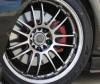
i hope you dont mind me editing the pic you posted, but i opened it up in photoshop and all i did was adjust the curves (use the black dropper to select the blackest part of the picture, and the white dropper to select whats supposed to be white) and then i slightly adjusted the levels and thats it.

it doesnt look so bad actually, so really your on the right track you just gotta edit them in photoshop a bit more to finish them up, and maybe set the light smoothing option to high next time to make it look more natural.

Reply
Old Apr 27, 2009 | 10:13 PM
  #19  
Zerotide's Avatar
Snick-Snick Gearbox
iTrader: (1)
 
Joined: Feb 2008
Posts: 483
Likes: 1
From: Nowhere
Hey that looks really good... the colors look more natural. Thanks for the tips. I was gonna try again once the weather clears up here... been stormy the last few days.
Reply
Old Apr 27, 2009 | 10:16 PM
  #20  
t.c.'s Avatar
Don't RX-H8
 
Joined: Sep 2007
Posts: 106
Likes: 0
From: Lucedale/Oxford MS
Quick question about HDR... Do you have to use an SLR camera to take the pictures with which you use to make an HDR image?
Reply
Old Apr 27, 2009 | 10:18 PM
  #21  
Zerotide's Avatar
Snick-Snick Gearbox
iTrader: (1)
 
Joined: Feb 2008
Posts: 483
Likes: 1
From: Nowhere
I believe some point and shoots have a exposure adjustment option... but I took mine with a dslr.
Reply
Old Apr 27, 2009 | 10:19 PM
  #22  
TopGear8's Avatar
mkuhnracing.com
iTrader: (3)
 
Joined: Jun 2007
Posts: 6,212
Likes: 4
From: Charlotte, NC
Those Volk GTF's look very nice man

Last edited by TopGear8; Apr 27, 2009 at 10:21 PM.
Reply
Old Apr 27, 2009 | 10:20 PM
  #23  
\\Konig\\'s Avatar
turrrbo!
iTrader: (4)
 
Joined: May 2004
Posts: 2,325
Likes: 4
From: Santa Barbara
no you dont need a slr camera.

you can use any camera as long as it has the ability to change exposures or has AEB (auto exposure bracketing is what it stands for i believe)

that and you need to download or buy photomatix and photoshop
Reply
Old Apr 27, 2009 | 10:22 PM
  #24  
Zerotide's Avatar
Snick-Snick Gearbox
iTrader: (1)
 
Joined: Feb 2008
Posts: 483
Likes: 1
From: Nowhere
What is aeb? Is there a way to set the camera up to take the three pictures at different exposures without having to twist the exposure **** after every pic? I think that is the reason some of my HDR's are blurry is because I mess with the **** in between each picture.

Reply
Old Apr 27, 2009 | 10:23 PM
  #25  
dondo's Avatar
100% baller (finally!)
iTrader: (7)
 
Joined: Jun 2007
Posts: 5,385
Likes: 2
From: Seattle, WA
nice. i like the hdr pics a lot. need to see some more up here though so i can get some new desktop backgrounds.
Reply


You have already rated this thread Rating: Thread Rating: 0 votes,  average.


All times are GMT -5. The time now is 05:12 AM.