


Blue 8 With MS Kit and Rays Wheels - Night Pics

n00b
Joined: Jun 2005
Posts: 1,487
Likes: 1
From: Bay Area, CA
Originally Posted by dmp
Your illustrations simply don't fit the pictures at hand. (shrug).
Get your car in the same conditions as the car in this thread, and I KNOW one can better-expose the car w/o ruining the background.
Get your car in the same conditions as the car in this thread, and I KNOW one can better-expose the car w/o ruining the background.
Better expose possibly, like i said, for some there is a nice happy medium. Properly expose, yes you could, again like i said though, strobe(s) and double exposure would be needed.
Registered User
Joined: Jun 2005
Posts: 25
Likes: 0
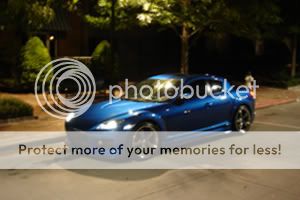
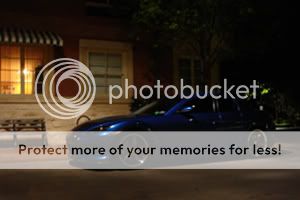
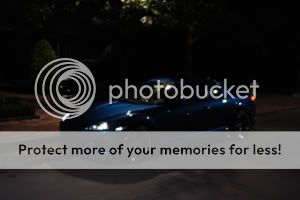
It's really quite simple. You've under exposed these shots by AT LEAST one full stop. The histogram doesn't lie.
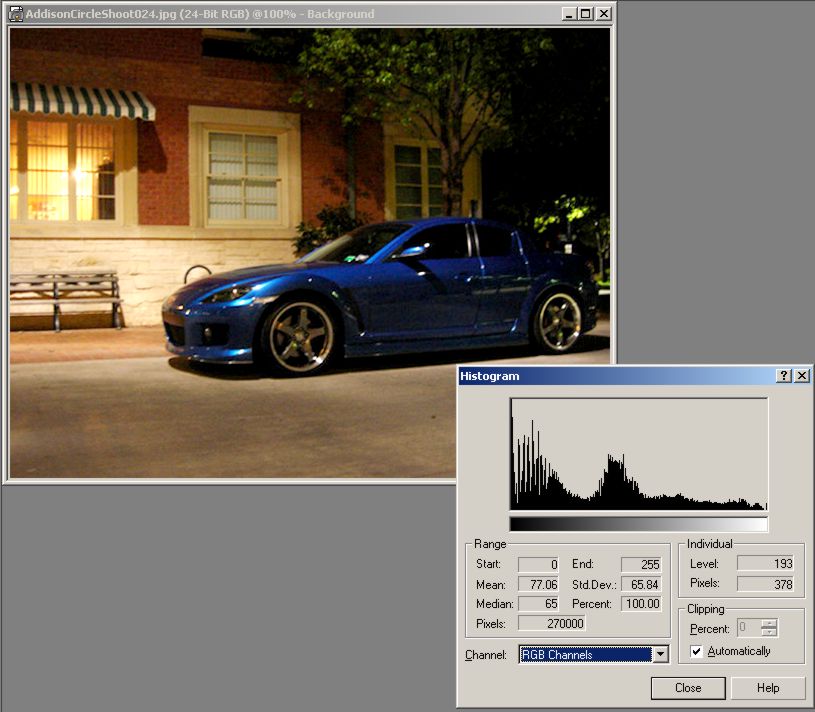
Here's the before histogram. Notice that there is not data for the upper 2/5ths?

Here's a histogram of the same picture with the gamma raised to about 2.0 with contrast added. Obviously I can't take the exact picture that you did, but this is close to how you could have taken it. Notice that there is now data extending across the entire histogram?
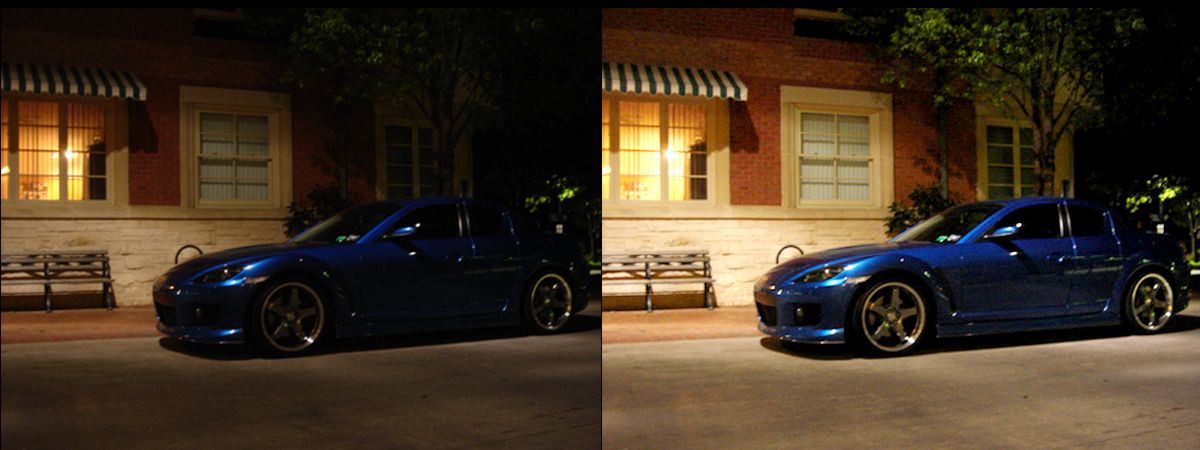
Here's a before/after. The image quality would be better if the after shot was taken from the camera, but it illustrates that you could have taken a better shot if you'd have manually adjusted instead of letting the camera think for you:
Now if you had said that you were purposely under exposing to convey the night-time mood, I'd have accepted that. However, you're stating that you couldn't have exposed them any more which is clearly not the case.
Here's the before histogram. Notice that there is not data for the upper 2/5ths?
Here's a histogram of the same picture with the gamma raised to about 2.0 with contrast added. Obviously I can't take the exact picture that you did, but this is close to how you could have taken it. Notice that there is now data extending across the entire histogram?
Here's a before/after. The image quality would be better if the after shot was taken from the camera, but it illustrates that you could have taken a better shot if you'd have manually adjusted instead of letting the camera think for you:
Now if you had said that you were purposely under exposing to convey the night-time mood, I'd have accepted that. However, you're stating that you couldn't have exposed them any more which is clearly not the case.
n00b
Joined: Jun 2005
Posts: 1,487
Likes: 1
From: Bay Area, CA
The car is still under-exposed...
I got the same results as you, except i used a combo of levels/shadow-highlight in photoshop to get there.
Also looks to me like he was taking the shots without a tripod.
I got the same results as you, except i used a combo of levels/shadow-highlight in photoshop to get there.
Also looks to me like he was taking the shots without a tripod.


Registered User
Joined: Feb 2006
Posts: 585
Likes: 0
From: Tampa
I need a tripod bad. I used some milk crates from behind the school I was taking the pics at to steady the camera. Due to the slower shutter speed for night pics it was really difficult to get any shots w/o them.
Registered User
Joined: Jun 2005
Posts: 25
Likes: 0
Originally Posted by cleoent
The car is still under-exposed...
I got the same results as you, except i used a combo of levels/shadow-highlight in photoshop to get there.
Also looks to me like he was taking the shots without a tripod.
I got the same results as you, except i used a combo of levels/shadow-highlight in photoshop to get there.
Also looks to me like he was taking the shots without a tripod.
Sure. But the SUBJECT is at least visible. I'm just showing that it could have been exposed BETTER.
If you don't have some sort of image stabilization, you should really have a tripod to get good night shots.

Originally Posted by dv/dt
Now if you had said that you were purposely under exposing to convey the night-time mood, I'd have accepted that. However, you're stating that you couldn't have exposed them any more which is clearly not the case.
This threads become a very interesting discussion on taking night shots. I'm also interested to see how the experiment turns out. I'll experiment with the histogram function in photoshop, and see if i can figure out how it works.
Like i said in the original post.. these were just quick insomniac pics. The real ones are to come in the future.
Oh, and thanks to everyone for the compliments.
-hS

Mr. Clean
Joined: Dec 2004
Posts: 313
Likes: 0
From: Kauai
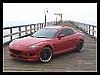
I'll add in my 2 cents about the night pictures: its much harder to get darker cars to show up with low light. White is easy, for example. The first couple pictures still came out cool, even though it is a little hard to see the car.
Originally Posted by dv/dt
That's cool. I just wanted to point out that they could have been exposed better.
Originally Posted by cleoent
No problem, i'll just set the camera to expose the lights...


n00b
Joined: Jun 2005
Posts: 1,487
Likes: 1
From: Bay Area, CA
Originally Posted by BigOLundh
Ok, how exactly do you do that?
Or you can do it the hard way and go manual and point your camera at the light and set it yourself.

Originally Posted by cleoent
Do what? Set the camera to expose the lights? Just point your camera at the headlight while it's on and then half hold the button down, this will set the exposure, then take the pic any way you'd like and press the button, wala, a pic taken with the exposure set to the light.
Or you can do it the hard way and go manual and point your camera at the light and set it yourself.
Or you can do it the hard way and go manual and point your camera at the light and set it yourself.
Point at the drivers side headlight, hold it down... move the camera to the middle, snap
then
Point at the passengers side headlight, hold it down... move the camera to the middle, snap
??
n00b
Joined: Jun 2005
Posts: 1,487
Likes: 1
From: Bay Area, CA
Originally Posted by BigOLundh
So do you take two pictures then?
Point at the drivers side headlight, hold it down... move the camera to the middle, snap
then
Point at the passengers side headlight, hold it down... move the camera to the middle, snap
??
Point at the drivers side headlight, hold it down... move the camera to the middle, snap
then
Point at the passengers side headlight, hold it down... move the camera to the middle, snap
??

Thread
Thread Starter
Forum
Replies
Last Post
{FS/WTT} 04 Black Rx-8 TRACK AUTOX TIMEATTACK
Billy Marcial
RX-8's For Sale/Wanted
5
Mar 1, 2018 06:50 AM
Mr.Durden
RX-8's For Sale/Wanted
4
Aug 12, 2015 02:21 PM