


Attn: Photoshoppers


Thread Starter
Senior Member
Joined: Nov 2002
Posts: 549
Likes: 0
From: San Diego, CA
 Attn: Photoshoppers
Can one of this forums many talented photoshoppers do me a HUGE favor? I'll be eternally thankful.
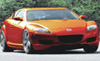
I'm dying to use this picture as my wallpaper, but I'd really like it to be titanium. Can anybody skin this in the grey for me? THANKS!!!
Here's the link to the pic...
It's a pretty big file (1.6 MB). Like I said, eternally grateful.
I'm dying to use this picture as my wallpaper, but I'd really like it to be titanium. Can anybody skin this in the grey for me? THANKS!!!
Here's the link to the pic...
It's a pretty big file (1.6 MB). Like I said, eternally grateful.

Registered User
Joined: Jan 2003
Posts: 10
Likes: 0
From: Lansing, MI
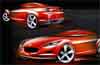
My first post...hope this works! It's a big file, and this one's a bit darker...more titanium-ish to my eyes.
Edit: this thing seems not to have accepted my attachment. Are there any Mac-users out there who can comment on your experience with this feature? Sorry!
Edit: this thing seems not to have accepted my attachment. Are there any Mac-users out there who can comment on your experience with this feature? Sorry!
Last edited by macdane; Jan 21, 2003 at 07:34 AM.

Thread Starter
Senior Member
Joined: Nov 2002
Posts: 549
Likes: 0
From: San Diego, CA
Damn you guys are amazing!!!
So I have Photoshop and I've used it before to create simple graphics, but what tool are you guys using to change the colors? Is it something pretty easy or does it take a while? Where did you learn?
So I have Photoshop and I've used it before to create simple graphics, but what tool are you guys using to change the colors? Is it something pretty easy or does it take a while? Where did you learn?

Registered User
Joined: Nov 2002
Posts: 30
Likes: 0
From: Glendale, AZ
RotorMotor-
I used Photoshop 7.0. I started by using the color range select option to select the red areas of the car. I then added a hue/saturation adjustment layer. I just OK'd the default values at first. To this layer I then added a layer mask (since I had already selected the red areas of the car the layer mask was created using this selection. I used the painting tools to clean up the layer mask (especially around the red part of the tail light.) Once I was happy with this I adjusted the hue and saturation settings to get the color I was looking for. The results of this step were very similar to the results "Good Duck" got. I then added two more "normal" layers. In one layer I painted with white to improve the luster of the paint to be more in line with a metallic paint. On the second layer I painted using a light to medium brown color to add metallic highlights. (I chose this secondary color based on some of the titanium RX-8 pics.) I added noise to the brown layer to give it a grainy texture and finally I adjusted the opacity of my white and brown layers to my liking (somewhere around 50% for the white and 12% for the brown). I added one more adjustment layer for Brightness and contrast and made some slight adjustments. Finally, I flattened the layers, resized the image, and saved as a jpg.
I've only been using photoshop for a couple of months so I'm still fairly new to it. There are multiple ways you could change the color using photoshop, but I like using the adjustment layers with layer masks because it gives me more latitude to go back and make changes if I don't like something.
I learned most of what I know from the retouching forum on DPReview.com and several sites I was referred to from there.
~Robert
I used Photoshop 7.0. I started by using the color range select option to select the red areas of the car. I then added a hue/saturation adjustment layer. I just OK'd the default values at first. To this layer I then added a layer mask (since I had already selected the red areas of the car the layer mask was created using this selection. I used the painting tools to clean up the layer mask (especially around the red part of the tail light.) Once I was happy with this I adjusted the hue and saturation settings to get the color I was looking for. The results of this step were very similar to the results "Good Duck" got. I then added two more "normal" layers. In one layer I painted with white to improve the luster of the paint to be more in line with a metallic paint. On the second layer I painted using a light to medium brown color to add metallic highlights. (I chose this secondary color based on some of the titanium RX-8 pics.) I added noise to the brown layer to give it a grainy texture and finally I adjusted the opacity of my white and brown layers to my liking (somewhere around 50% for the white and 12% for the brown). I added one more adjustment layer for Brightness and contrast and made some slight adjustments. Finally, I flattened the layers, resized the image, and saved as a jpg.
I've only been using photoshop for a couple of months so I'm still fairly new to it. There are multiple ways you could change the color using photoshop, but I like using the adjustment layers with layer masks because it gives me more latitude to go back and make changes if I don't like something.
I learned most of what I know from the retouching forum on DPReview.com and several sites I was referred to from there.
~Robert

Registered
Joined: Aug 2002
Posts: 994
Likes: 0
From: Navarre, FL
Awwww...man! Now that our secrets are out, we'll be out of business! Oh, wait, we do this for free...in that case, I guess we've simply been humbly demystified, and absconded of our pedestals. I can live with that.


Thread
Thread Starter
Forum
Replies
Last Post
RotaryFeeling
RX-8 Discussion
2
Mar 29, 2004 06:38 PM
RotaryFeeling
West RX-8 Forum
3
Mar 29, 2004 06:29 PM