


Photoshop help plz.


Thread Starter
Registered User
Joined: Mar 2004
Posts: 1,501
Likes: 0
From: Vancouver
Photoshop help plz.
Alright... i hate to admit i dont know a damn thing about utilizing the photoshop program i have..... i mean i know the basics.... but nothing fancy like you ppl can do lol......
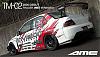
Can someone please help me do a photochop of my car with the AME's center changed to gloss black, gold, and gunmetal ?
It would really help me a bunch as i have no clue.... if you're local i'll ship a case of beer to your front door
Can someone please help me do a photochop of my car with the AME's center changed to gloss black, gold, and gunmetal ?
It would really help me a bunch as i have no clue.... if you're local i'll ship a case of beer to your front door



Thread Starter
Registered User
Joined: Mar 2004
Posts: 1,501
Likes: 0
From: Vancouver
Originally Posted by MultiSync
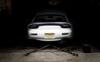
Hope this will help. Gloss black is pretty hard to do.
OMFG that looks fantastic!
YOU my friend has got skills!
 Really appreciate it!
Wow both of those colors look SEXY!!!!!!!!!!
The Gold... WOW.... The gloss black... WOW
What are your opinions guys?



MultiSync....i have been messing with Photoshop a lot recently and was wondering if you could share your secret of how you did that so nicely and clean. I was messing around with Replace Color which looked horrible on the wheels and messing with the hue/saturation but began losing the lighting effects, which you still have on the wheel.
脾臓が痛みました
Joined: Mar 2005
Posts: 1,527
Likes: 2
From: Land of Peaches, Pecans, and Peanuts
polished lip
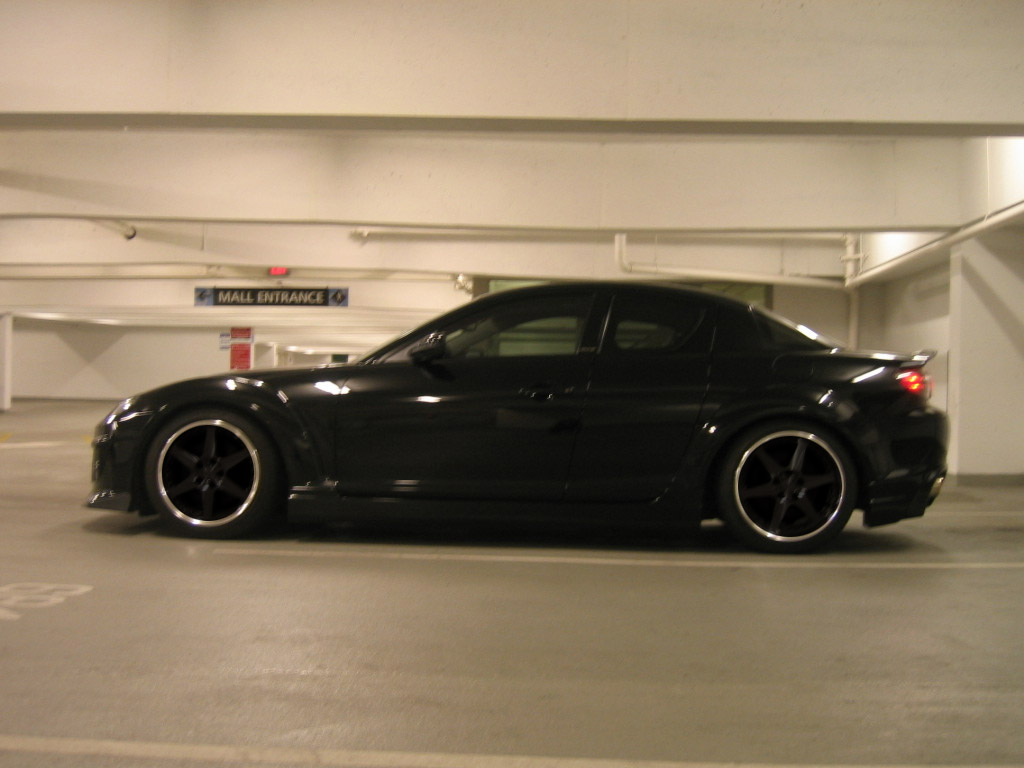
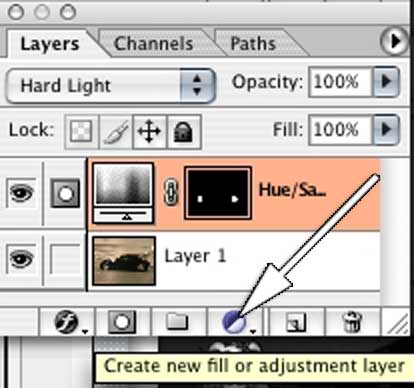
ucleadguitar, the way that i did this was a hue/saturation adjustment layer with settings of -100 saturation and -86 lightness. used a layer mask so only the wheels were affected by the adjustment layer, and then changed the blending mode of the adjustment layer to hardlight.
following along, your layer pallet should look like this...
ucleadguitar, the way that i did this was a hue/saturation adjustment layer with settings of -100 saturation and -86 lightness. used a layer mask so only the wheels were affected by the adjustment layer, and then changed the blending mode of the adjustment layer to hardlight.
following along, your layer pallet should look like this...
Thread Starter
Registered User
Joined: Mar 2004
Posts: 1,501
Likes: 0
From: Vancouver
Originally Posted by Glyphon
polished lip
ucleadguitar, the way that i did this was a hue/saturation adjustment layer with settings of -100 saturation and -86 lightness. used a layer mask so only the wheels were affected by the adjustment layer, and then changed the blending mode of the adjustment layer to hardlight.
following along, your layer pallet should look like this...
ucleadguitar, the way that i did this was a hue/saturation adjustment layer with settings of -100 saturation and -86 lightness. used a layer mask so only the wheels were affected by the adjustment layer, and then changed the blending mode of the adjustment layer to hardlight.
following along, your layer pallet should look like this...
OMG that looks wicked.................
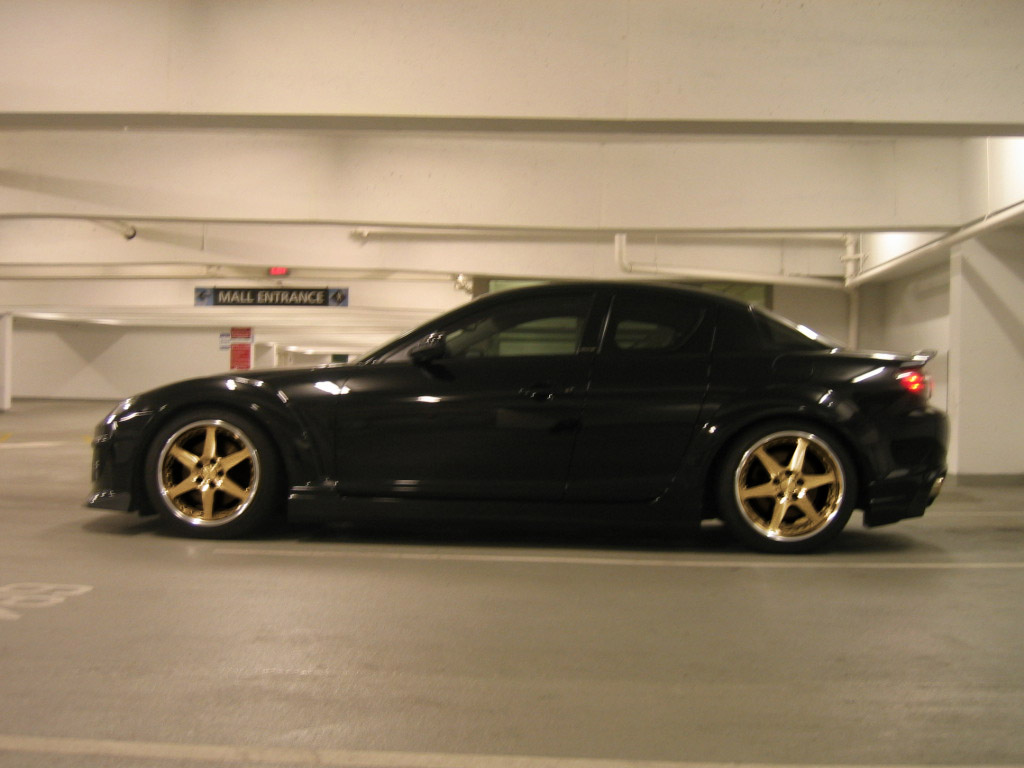
Thanks!Could you do one up just like that with gold please?



Registered
Joined: Nov 2003
Posts: 32
Likes: 0
From: Long Island, NY
ucleadguitar,
To make the gold wheel, I changed the Hue to a more yellowish color, boosted the Contrast, and then used Levels to get the desired look. The trick is to adjust the upper and mid level sliders. To get the gun metal wheel, I lowered the Saturation and then used Levels.
A couple of other tricks... first use the Ellipse to make a rough selection of the wheel. Then turn off the dancing ants (View > Show > Selection Edges). This will make it easier to make your image adjustments so that they look more realistic. Deselect and then use the Eraser with the "Erase to History" option. This is the easier way to clean up the edges and restore the brake rotors.
To make the gold wheel, I changed the Hue to a more yellowish color, boosted the Contrast, and then used Levels to get the desired look. The trick is to adjust the upper and mid level sliders. To get the gun metal wheel, I lowered the Saturation and then used Levels.
A couple of other tricks... first use the Ellipse to make a rough selection of the wheel. Then turn off the dancing ants (View > Show > Selection Edges). This will make it easier to make your image adjustments so that they look more realistic. Deselect and then use the Eraser with the "Erase to History" option. This is the easier way to clean up the edges and restore the brake rotors.

Thread
Thread Starter
Forum
Replies
Last Post
Formula 420
RX-8 Multimedia/Photo Gallery
30
Mar 20, 2004 09:38 PM
MEGAREDS
RX-8 Multimedia/Photo Gallery
28
Mar 13, 2004 05:16 AM
GookusMaximus
RX-8 Multimedia/Photo Gallery
13
Dec 7, 2003 10:10 PM