SPECIAL Mazda ROTARY HISTORY Model SCREENSAVER


Thread Starter
Super Moderator
Joined: Apr 2005
Posts: 10,880
Likes: 340
From: Australia
SPECIAL Mazda ROTARY HISTORY Model SCREENSAVER
Thought you guys might like to download from Mazda Japan's Web Members Site their exclusive Mazda Rotary SCREEN-SAVER.
Downloads in .ZIP Format, extract file, then click on "installation dialog box in Japanese the "N" button in the lower middle tabs"...keep clicking on this button until the installation finishes, you may need to go to your Desktop Display to locate
"MWM Rotary Screensaver"
https://www.m-wm.com/mm/rotary_win.zip PC
https://www.m-wm.com/mm/rotary_mac.zip NOW MAC
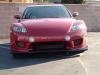
Images are of all Mazda Rotary Models made (well most of them) up to Series 1 RX-8..
Hope you guys like it.
Downloads in .ZIP Format, extract file, then click on "installation dialog box in Japanese the "N" button in the lower middle tabs"...keep clicking on this button until the installation finishes, you may need to go to your Desktop Display to locate
"MWM Rotary Screensaver"
https://www.m-wm.com/mm/rotary_win.zip PC
https://www.m-wm.com/mm/rotary_mac.zip NOW MAC
Images are of all Mazda Rotary Models made (well most of them) up to Series 1 RX-8..
Hope you guys like it.
Last edited by ASH8; Sep 19, 2009 at 05:57 PM.






Thread Starter
Super Moderator
Joined: Apr 2005
Posts: 10,880
Likes: 340
From: Australia
Mazda's Screen-saver On A Collection Of Sedans..Too
Here is also another Mazda Screensaver on the 'Photographic Collection Of Memory'.
Screensaver File is the same INSTALL Procedure as the .ZIP Rotary One.
Installed Title is...
MWM Sedan Screensaver
https://www.m-wm.com/mm/sedan_win.zip PC
https://www.m-wm.com/mm/sedan_mac.zip Now MAC Users
Enjoy!
Screensaver File is the same INSTALL Procedure as the .ZIP Rotary One.
Installed Title is...
MWM Sedan Screensaver
https://www.m-wm.com/mm/sedan_win.zip PC
https://www.m-wm.com/mm/sedan_mac.zip Now MAC Users
Enjoy!
Last edited by ASH8; Sep 19, 2009 at 05:59 PM.







Thread Starter
Super Moderator
Joined: Apr 2005
Posts: 10,880
Likes: 340
From: Australia
Works OK for me, Just checked the download...all OK.
It is only for PC (Windows), I have Vista...still OK.
It is in .ZIP format, you have to extract the file then click on the "N" button and continue to click on the middle button to install, then go to your display section to select the MWM Rotary Screensaver
What is happening Greg?
It is only for PC (Windows), I have Vista...still OK.
It is in .ZIP format, you have to extract the file then click on the "N" button and continue to click on the middle button to install, then go to your display section to select the MWM Rotary Screensaver
What is happening Greg?