Notices
RX-8 Multimedia/Photo Gallery Share your pics,videos or links to them.

how do you guys resize and keep clarity?

Thread Tools
 
Rate Thread
 
Old Dec 21, 2006 | 02:41 PM
  #1  
06shinka06's Avatar
Thread Starter
John James
 
Joined: Dec 2006
Posts: 100
Likes: 0
From: New York
how do you guys resize and keep clarity?
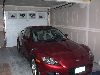
when i try to resize a pic to fit on the page the clarity gets messed up. How do you resize the pic and keep good quality. here is an example of my dull looking pic

Attached Thumbnails how do you guys resize and keep clarity?-xxx1.jpg  
Reply
Old Dec 21, 2006 | 02:43 PM
  #2  
Alucard's Avatar
RX8 Club OG
 
Joined: Aug 2004
Posts: 2,459
Likes: 0
From: Clinton NJ
i just have an account at cardomain, and when u upload pics, they auto resize for you.
Reply
Old Dec 21, 2006 | 02:47 PM
  #3  
FastRX8's Avatar
IstanbulNotConstantinople
 
Joined: Jul 2004
Posts: 513
Likes: 0
From: Fontana (but in the good part, by Rancho), CA
What programs do you have?
That will help us explain how to do it using what you have.
Reply
Old Dec 21, 2006 | 02:51 PM
  #4  
06shinka06's Avatar
Thread Starter
John James
 
Joined: Dec 2006
Posts: 100
Likes: 0
From: New York
i use Irfanview....
Reply
Old Dec 21, 2006 | 03:00 PM
  #5  
vectorwolf's Avatar
Totally confuzzled...
 
Joined: Jan 2005
Posts: 690
Likes: 0
From: Indianapolis, IN
Be sure to use Resample, not Resize when doing this. As a general rule, try to change the size by 1/2 or 2x. Anything in between tends to cause artifacts and pixellation, like in your photo. And be sure "Preserve Aspect Ratio" is always on, so it doesn't change the proportions of the image.

Also, trying to increase size on a small picture is never as good as downsizing a large one. Start with the highest-quality pic you have, and work your way down.
Reply
Old Dec 21, 2006 | 03:09 PM
  #6  
06shinka06's Avatar
Thread Starter
John James
 
Joined: Dec 2006
Posts: 100
Likes: 0
From: New York
thank you vectorwolf the preserve aspect ratio worked
Reply
Old Dec 21, 2006 | 03:16 PM
  #7  
06shinka06's Avatar
Thread Starter
John James
 
Joined: Dec 2006
Posts: 100
Likes: 0
From: New York
much better
Attached Thumbnails how do you guys resize and keep clarity?-xxx01.jpg  
Reply
Old Dec 21, 2006 | 03:55 PM
  #8  
willhave8's Avatar
Registered User
 
Joined: Nov 2003
Posts: 603
Likes: 0
From: in the moment
Originally Posted by 06shinka06
much better
Pretty car !!
Reply
Old Dec 21, 2006 | 05:08 PM
  #9  
vectorwolf's Avatar
Totally confuzzled...
 
Joined: Jan 2005
Posts: 690
Likes: 0
From: Indianapolis, IN
Woot! Earned my brownie points for the day.
Reply
Old Dec 21, 2006 | 05:39 PM
  #10  
mjcampb's Avatar
Registered User
 
Joined: Oct 2004
Posts: 115
Likes: 0
From: GW's old stomping ground
Originally Posted by 06shinka06
i use Irfanview....

One of the best freeware graphics programs out there. It doesn't do all the high-end chopping things, but it is extremely quick and of high quality when all you need to do is the everyday stuff.
Reply
Old Dec 21, 2006 | 05:50 PM
  #11  
EZZY's Avatar
cry me a river...
 
Joined: Dec 2003
Posts: 4,475
Likes: 0
From: Syd / Melb
get a half decent photo editing program
Reply
Old Dec 21, 2006 | 07:03 PM
  #13  
EZZY's Avatar
cry me a river...
 
Joined: Dec 2003
Posts: 4,475
Likes: 0
From: Syd / Melb
but you never use it......
Reply
Old Dec 21, 2006 | 08:21 PM
  #14  
pdxhak's Avatar
Official Post Whore
iTrader: (2)
 
Joined: Jan 2003
Posts: 10,462
Likes: 32
From: Portland,OR
Another option is to upload your picture to http://imageshack.us/. They give you a few size options and a URL to the picture.
Reply
Old Dec 21, 2006 | 10:14 PM
  #16  
Razz1's Avatar
Mu ha.. ha...
 
Joined: Aug 2004
Posts: 14,361
Likes: 3
From: Cali
My HP camara software allows me to send pic's via E mail.

I send to myself and it auto resizes.
Reply
Related Topics
Thread
Thread Starter
Forum
Replies
Last Post
LB2739
New Member Forum
5
Jul 9, 2019 02:25 AM
nowakm99
Series II Technical and Trouble shooting
1
Oct 9, 2015 07:10 AM
Tsurugi
New Member Forum
0
Sep 7, 2015 08:27 PM


You have already rated this thread Rating: Thread Rating: 0 votes,  average.


All times are GMT -5. The time now is 05:05 PM.