


Audio/Video inputs installed

Thread Starter
Registered User
Joined: Oct 2003
Posts: 493
Likes: 1
From: Ontario, Calif.
Audio/Video inputs installed
I just finished installing A/V inputs for my Rio Karma (with a dedicated dock in the ash tray), DVD player using the Nav screen, and my Nomad JukeBox 3. All units are powered from the 8's system and play through the factory Bose audio.
Yes, I used the PIE devices for the audio aux-in.
I'm currently working on DIY web pages and I'll post the link when I get it done (probably in the DIY section).
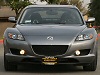
Here goes an attempt to post a pic or two.
Yes, I used the PIE devices for the audio aux-in.
I'm currently working on DIY web pages and I'll post the link when I get it done (probably in the DIY section).
Here goes an attempt to post a pic or two.



Thread Starter
Registered User
Joined: Oct 2003
Posts: 493
Likes: 1
From: Ontario, Calif.
Originally Posted by truemagellen
bob cleger: DVD player using the nav screen? how did you get this signal in 'avelectronics' or 'modified pioneer box' or 'your own homebrew' setup?
Thread Starter
Registered User
Joined: Oct 2003
Posts: 493
Likes: 1
From: Ontario, Calif.
Originally Posted by Omicron
Very cool! Please DO put it in the DIY section, Bob. You can link to the DIY from this thread, too.
Thread Starter
Registered User
Joined: Oct 2003
Posts: 493
Likes: 1
From: Ontario, Calif.
The DIY is at http://www.bobclevenger.com/RX-8_AV_project_page_1.htm
--------------------------------------------------------------------------------
I've just finished the pages, so there are liable to be some typos; please let me know if you find any or if something isn't clear.
--------------------------------------------------------------------------------
I've just finished the pages, so there are liable to be some typos; please let me know if you find any or if something isn't clear.
Thread Starter
Registered User
Joined: Oct 2003
Posts: 493
Likes: 1
From: Ontario, Calif.
Originally Posted by Thommino
Great. How much did you pay for it?

Thread Starter
Registered User
Joined: Oct 2003
Posts: 493
Likes: 1
From: Ontario, Calif.
Originally Posted by Thommino
What about PIE converter? How much?
Both parts cost me a total of about US$100.
Thread Starter
Registered User
Joined: Oct 2003
Posts: 493
Likes: 1
From: Ontario, Calif.
Originally Posted by Thommino
Hi bob. You made a great work. I sow you html page. Have you got other pictures about Universal Video Converter connection?
Thread Starter
Registered User
Joined: Oct 2003
Posts: 493
Likes: 1
From: Ontario, Calif.
Originally Posted by Nemesis8
I'm not that confident in cutting wires - great job!


Registered User
Joined: Nov 2003
Posts: 241
Likes: 0
Bob do you know if that site sell also pal to rgb universal converter?
Another question. Can you post (scan) the instuction of nav-vision product. I want to understand where should connect nav-system wires anche were connect video in/audio in connector. And how can I switch from the first to the second?
Thnaks
Another question. Can you post (scan) the instuction of nav-vision product. I want to understand where should connect nav-system wires anche were connect video in/audio in connector. And how can I switch from the first to the second?
Thnaks
Thread Starter
Registered User
Joined: Oct 2003
Posts: 493
Likes: 1
From: Ontario, Calif.
Originally Posted by Thommino
Bob do you know if that site sell also pal to rgb universal converter?
Another question. Can you post (scan) the instuction of nav-vision product. I want to understand where should connect nav-system wires anche were connect video in/audio in connector. And how can I switch from the first to the second?
Thnaks
Another question. Can you post (scan) the instuction of nav-vision product. I want to understand where should connect nav-system wires anche were connect video in/audio in connector. And how can I switch from the first to the second?
Thnaks
 I don't know where they are right now.
Have no fear; Nav-Vision's instructions are good. Everything is labelled. There is an RCA-type jack on the Nav-Vision box that the video cable connects to -- just like plugging in a VCR. The relay inside the Nav-Vision box does the switching.
The converter will work on NTSC and PAL just the same. After the TV or DVD signal gets output as a composite video signal there is no difference. You just need a TV tuner and DVD player that is PAL.
Good luck,
Registered User
Joined: Nov 2003
Posts: 241
Likes: 0
So that converter is also Pal to RGB. GREAT.
I don't understand "just like plugging in a VCR".Where is this plug? Where can I find it?
You are saying.
1)Connect the Nav Unit to converte throught wires(4).
2)Connect the Video-out (DVD+TV-tuner,ecc) to Convertor PAL to RGB throught 1 RCA Video Composite.
3)Connect the convertor to Monitor throught VCR plug????
Right? I don't understan third point.
When I power on my Tv-tuner/DVD player the convertor switch to them,excluding Navigation System Unit?
I don't understand "just like plugging in a VCR".Where is this plug? Where can I find it?
You are saying.
1)Connect the Nav Unit to converte throught wires(4).
2)Connect the Video-out (DVD+TV-tuner,ecc) to Convertor PAL to RGB throught 1 RCA Video Composite.
3)Connect the convertor to Monitor throught VCR plug????
Right? I don't understan third point.
When I power on my Tv-tuner/DVD player the convertor switch to them,excluding Navigation System Unit?
Last edited by Thommino; Jul 23, 2004 at 02:52 AM.
Thread Starter
Registered User
Joined: Oct 2003
Posts: 493
Likes: 1
From: Ontario, Calif.
Originally Posted by Thommino
So that converter is also Pal to RGB. GREAT.
I don't understand "just like plugging in a VCR".Where is this plug? Where can I find it?
You are saying.
1)Connect the Nav Unit to converte throught wires(4).
2)Connect the Video-out (DVD+TV-tuner,ecc) to Convertor PAL to RGB throught 1 RCA Video Composite.
3)Connect the convertor to Monitor throught VCR plug????
Right? I don't understan third point.
When I power on my Tv-tuner/DVD player the convertor switch to them,excluding Navigation System Unit?
I don't understand "just like plugging in a VCR".Where is this plug? Where can I find it?
You are saying.
1)Connect the Nav Unit to converte throught wires(4).
2)Connect the Video-out (DVD+TV-tuner,ecc) to Convertor PAL to RGB throught 1 RCA Video Composite.
3)Connect the convertor to Monitor throught VCR plug????
Right? I don't understan third point.
When I power on my Tv-tuner/DVD player the convertor switch to them,excluding Navigation System Unit?
First, your questions.
1. Correct, but that's only half of the job. You also have to connect the converter to the screen through the other half of the 4 wires.
2. Correct. That's the "plug it in, just like a VCR" that I was talking about. The converter has a female connector on it just like the one on the DVD player/TV tuner. Use a cable just like a VCR cable to connect them together.
3. No. You solder the 4 wires that go to the monitor (screen) to the converter cable marked "screen". When you cut those 4 wires you will have 4 that go to the nav unit and 4 that go to the screen.
Yes, when you power up the converter it will switch the DVD/TV on and the nav off.
Now for some good news for you. I was checking out the menus on my Blaupunkt DVD-ME3 and found out that it works on NTSC and PAL both and that you can set it for any DVD regeion. So it should work for you!
I'm sure glad I don't have to try doing this in a language that's not my native tongue as you are!
Last edited by bobclevenger; Jul 23, 2004 at 05:06 AM.
Registered User
Joined: Nov 2003
Posts: 241
Likes: 0
3. No. You solder the 4 wires that go to the monitor (screen) to the converter cable marked "screen". When you cut those 4 wires you will have 4 that go to the nav unit and 4 that go to the screen
Right?
Thanks a lot. If it work also with Pal in, I'll buy it
Thread Starter
Registered User
Joined: Oct 2003
Posts: 493
Likes: 1
From: Ontario, Calif.
Originally Posted by Thommino
So are there 8 wires that came out from the Universal converter (4 for imput Nav Unit & 4 for output signal) + 1 female RCA In
Right?
Thanks a lot. If it work also with Pal in, I'll buy it
Right?
Thanks a lot. If it work also with Pal in, I'll buy it
Additionally there is a cable with a female RCA connector for the composite video from your DVD player, TV tuner, game box, or whatever.
It sounds like you understand it pretty well.

Thread
Thread Starter
Forum
Replies
Last Post
JimmyBlack
Series I Major Horsepower Upgrades
273
Feb 10, 2020 10:23 PM
yurcivicsux
Series I Major Horsepower Upgrades
192
Sep 12, 2017 10:54 PM
Jelliott5384
Series I Interior, Audio, and Electronics
2
Oct 26, 2016 05:15 PM