View Full Version : spiffy new hdr pics (yeah again haha...)
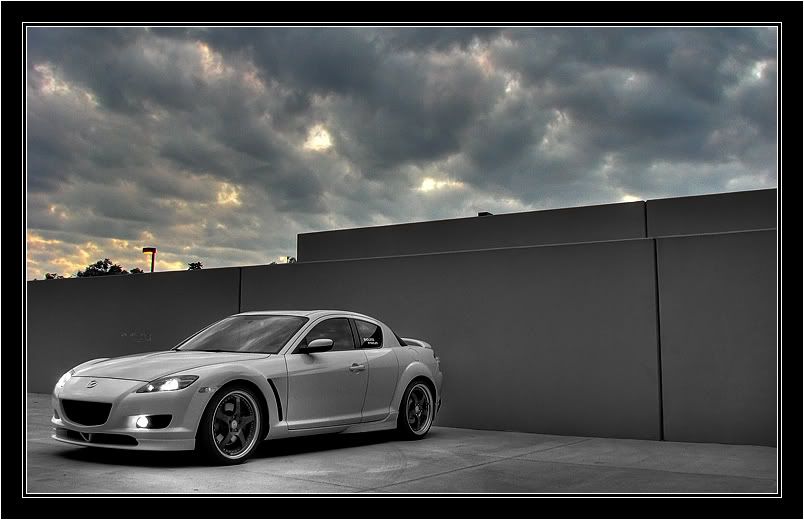
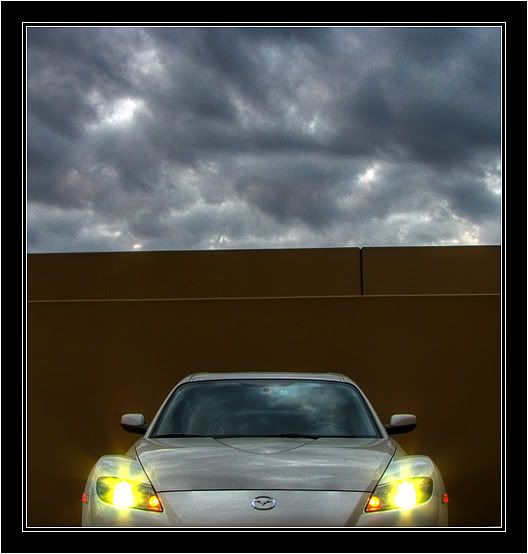
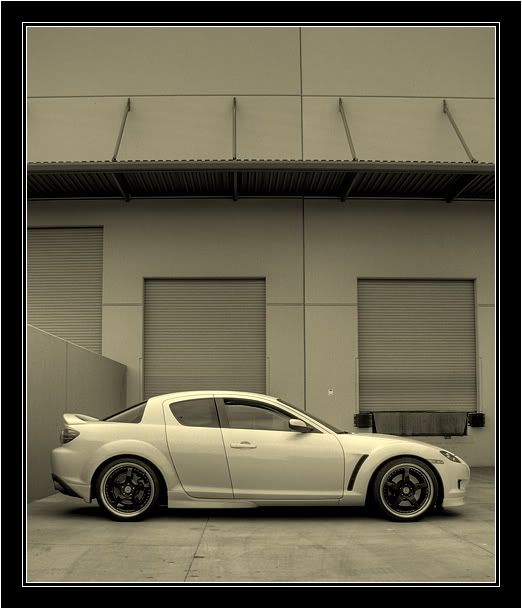
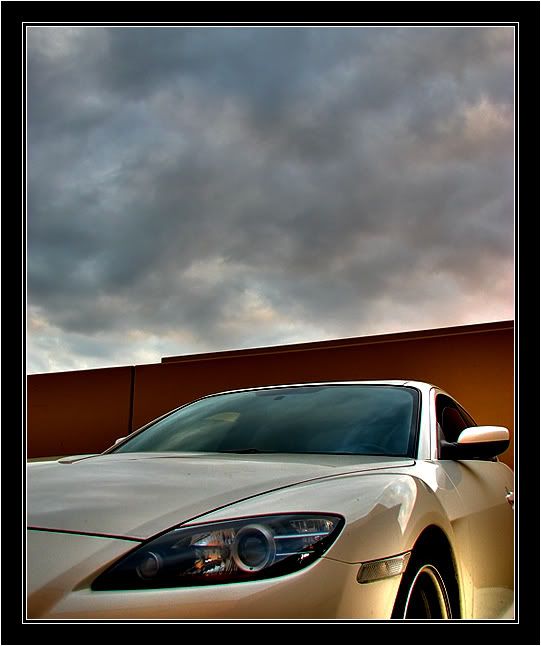
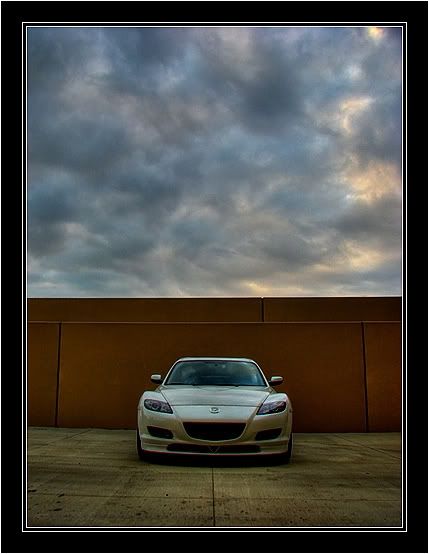
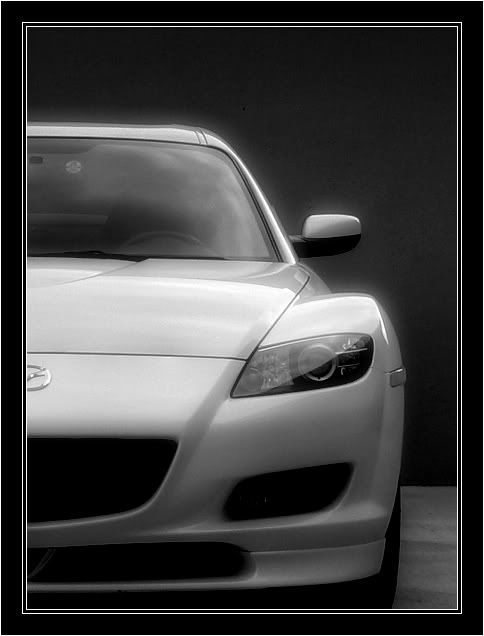
\\Konig\\ 09-30-2007, 09:05 PM i had some spare time during the weekend, so i snapped a few pics...
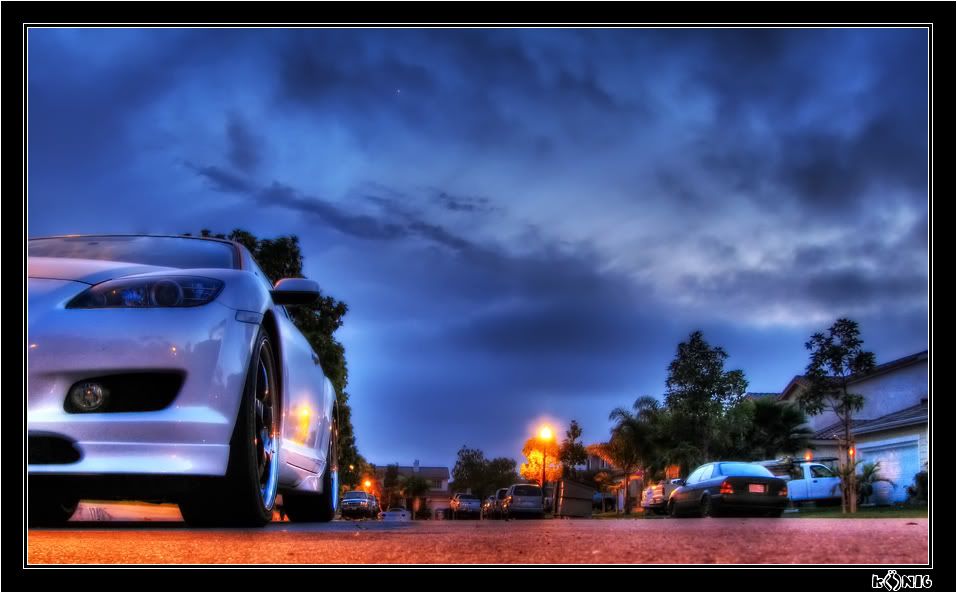
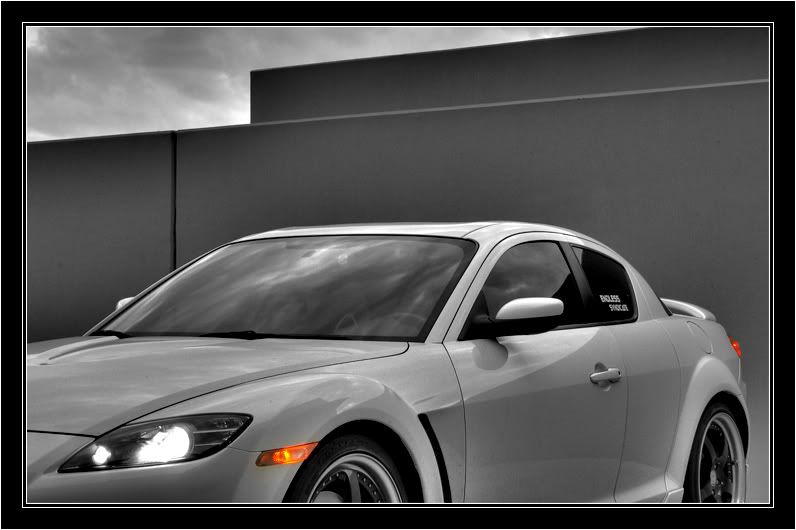
here are the results!
btw...at the moment i dont have a garage to house my car and i didnt have time to wash it before i took these pics :thumbsdow
http://i25.photobucket.com/albums/c97/konigs/RX8%20Industrial%20Sep-30-2007/IMG_0281_2_3_tonemappedcopycopy.jpg
http://i25.photobucket.com/albums/c97/konigs/RX8%20Industrial%20Sep-30-2007/IMG_0275_6_7_tonemapped.jpg
http://i25.photobucket.com/albums/c97/konigs/RX8%20Industrial%20Sep-30-2007/IMG_0266_7_8_tonemapped.jpg
http://i25.photobucket.com/albums/c97/konigs/RX8%20Industrial%20Sep-30-2007/IMG_0230_1_2_tonemapped.jpg
http://i25.photobucket.com/albums/c97/konigs/RX8%20Industrial%20Sep-30-2007/IMG_0223_1_2_tonemappedcopycopy.jpg
http://i25.photobucket.com/albums/c97/konigs/RX8%20Industrial%20Sep-30-2007/IMG_0212_3_4_tonemapped.jpg
http://i25.photobucket.com/albums/c97/konigs/RX8%20Industrial%20Sep-30-2007/IMG_0197_198_199_200_201_tonemapped.jpg
BigRed 09-30-2007, 09:47 PM sweet pics! I need to learn how to do this for sure!
Silver_Mazda09 09-30-2007, 09:52 PM Wow, really nice, and are your low beams really yellow?
A.Mair 10-01-2007, 01:24 AM really cool i like it a lot
Spinning Sushi 10-01-2007, 01:35 AM What kind of camera do you use?
Can you post higher resolution pictures of your car? It'll be great as a wallpaper :)
Wanganrx8 10-01-2007, 02:07 AM very nice and tasteful
lesper4 10-01-2007, 02:29 AM sweet pics konig, you never fail to impress
\\Konig\\ 10-01-2007, 02:43 AM thanks for the comments everyone, i try =)
and no my low beams arent yellow, i was really suprised at how they came out when i saw them too...i was expecting a blue color but not yellow!

HCTR154 10-01-2007, 02:58 AM Wow! Really tasteful.
TurboEight 10-01-2007, 04:36 AM DIY DIY DIY!..lol
must post how to take pics like that!
TurboEight 10-01-2007, 04:37 AM DIY DIY DIY!..lol
must post how to take pics like that!
Leesha 10-01-2007, 07:51 AM Just LOVE>>>>>>>LUV<<<<<<<<<<<<<the pics!! I want a camera like that!!
Whitehot 10-01-2007, 09:32 AM :bowdown: :bowdown: :bowdown:
I really like that 2nd one.
onephatguy 10-01-2007, 09:50 AM :bowdown: :bowdown: :bowdown:
I really like that 2nd one.
Me 2
TopGear8 10-01-2007, 01:41 PM pics are very good! teach me
altspace 10-01-2007, 02:00 PM It's not true HDR, but cool none the less. It's so easy a caveman can do it and you don't need any special camera. Though I must give props for your compositions.
http://en.wikipedia.org/wiki/High_dynamic_range_imaging
perks11 10-01-2007, 05:19 PM sweet pics. i love those wheels!!
3DZukini 10-01-2007, 09:43 PM looks like hdr to me, just looks like he didn't tweak the curve as much as most people do. I like both styles, this one makes for really nice realistic photography, i also like the super-tweaked curves versions that people make because they have a great surrealism to them. I've been practicing a little but i still have made any shots that i'm happy with. Nice work.
A.Mair 10-01-2007, 10:56 PM thats the part where i always start to struggle is the curves. I dont quite know how to get it where its looking surreal ............like so
http://i84.photobucket.com/albums/k21/DonJuanMair/1454796700_2e40ffb6ca_b.jpg
\\Konig\\ 10-02-2007, 02:27 AM thanks for the comments everyone, Renesis SE3P im using a canon S3 camera
and yes these are definately hdr pics, used exposure bracketing to get 3 pictures ranging from -2 to +2 exposure and combined them using Photomatix. then i edited them in photoshop for a ridiculous amount of time because i keep changing the most minute things haha...but its fun.
i know what you mean by some HDR pics looking much more realistic than others, i like to do both kinds of pictures. for this set of pics i stayed closer to the realistic view.
altspace 10-02-2007, 05:52 AM Here's what I mean about true HDR. I'll copy and paste the bit of info from the link I just posted.
"HDR" is now popularly used to refer to the process of tone mapping together with bracketed exposures of normal digital images, giving the end result a high, often exaggerated dynamic range. This composite technique is different from, and generally of lower quality than, the production of an image from a single exposure of a sensor that has a native high dynamic range. Tone mapping is also used to display HDR images on devices with a low native dynamic range, such as a computer screen.
I have done Photoshop manipulation for 15 years. www.altspace.com
Below is an example of making the curves more true to life.
http://home.comcast.net/~jhanley22/hdr2.jpg
\\Konig\\ 10-02-2007, 11:13 AM hmm...so what program do you use to make the actual hdr images?
i still dont see what i am doing that makes my images not true hdr images...i have done photoshop manipulation for about 3 years =P so i still have much to learn...

A.Mair 10-02-2007, 01:26 PM altspace so when you use hdr its just to get a more true to life picture? because your pic looks like all the levels are balanced. But in some cases the HDR i see like the pic i posed almost look cartoony, how is that achieved
\\Konig\\ 10-02-2007, 02:17 PM tried to do a more surealistic kind of tone on this hdr picture i took, doesnt seem to have turned out very good for this picture haha. kinda noisy...
http://i25.photobucket.com/albums/c97/konigs/ES%20Jons%20300ZX/IMG_0313_4_5_tonemapped-1.jpg
\\Konig\\ 10-02-2007, 02:19 PM is this surreal enough haha
http://i25.photobucket.com/albums/c97/konigs/RX8%20Marks%20House/HDR_0180_79_edited.jpg
DeViLbOi 10-02-2007, 02:33 PM hmm...so what program do you use to make the actual hdr images?
i still dont see what i am doing that makes my images not true hdr images...i have done photoshop manipulation for about 3 years =P so i still have much to learn...
You can use Photoshop CS2 to create an HDR image. Basically what you do is use a tripod to take at least 3 pictures of something with 3 different white balance levels. Then Photoshop combines them together using the brightest white part from the image with the greatest white balance in it and the darkest black from the lowest white balance image creating great dynamic range. This creates a high amount of contrast in the image making it "pop" more. You can then play with the colors in the layers in the HD image to make them more surreal as displayed above.
Razz1 10-02-2007, 02:43 PM Wow nice curves on the red 8.
And the orginal picture of the white 8 are good too!
A.Mair 10-02-2007, 02:53 PM is this surreal enough haha
http://i25.photobucket.com/albums/c97/konigs/RX8%20Marks%20House/HDR_0180_79_edited.jpg
dude thats so cool. thats what i wanted to do, but havnt got a clue how
altspace 10-02-2007, 03:11 PM awesome!
\\Konig\\ 10-02-2007, 03:12 PM i dont think youre supposed to use 3 different white balances, that would just create an odd looking picture...
did you mean 3 different exposures?
You can use Photoshop CS2 to create an HDR image. Basically what you do is use a tripod to take at least 3 pictures of something with 3 different white balance levels. Then Photoshop combines them together using the brightest white part from the image with the greatest white balance in it and the darkest black from the lowest white balance image creating great dynamic range. This creates a high amount of contrast in the image making it "pop" more. You can then play with the colors in the layers in the HD image to make them more surreal as displayed above.
altspace 10-02-2007, 03:14 PM Right, exposures. Just Google HDR photo.
Photoshop does an OK job in creating the HDR photo, but as mentioned before Photomatrix Pro allows for more adjustability.
delhi 10-02-2007, 03:37 PM You don;t need to limit with 3 photos. Take as many as necessary to capture the dynamic ranges. IMHO alot of the results look real cartoon-like that it loses the any genuine-ness.
Gotta love those "Great pix, what camera do you use" questions. Do you ask a chef what pots and pans he uses? :)
\\Konig\\ 10-02-2007, 03:49 PM yeah thats what i thought, ill keep on using photomatix pro =) thanks for the info altspace
DeViLbOi 10-02-2007, 04:46 PM yea...just at least three images. sorry about the white balance stuff...was kinda out of it before I ate lunch. whoooo boy. Anywho...I agree that Photoshop isn't great...but it gets the job done to start so you can see it. Once you get the hang of it in PhotoShop you can easily convert to photomatix and invest in that.
Rx-8 Putih 10-02-2007, 07:07 PM You can use Photoshop CS2 to create an HDR image. Basically what you do is use a tripod to take at least 3 pictures of something with 3 different white balance levels. Then Photoshop combines them together using the brightest white part from the image with the greatest white balance in it and the darkest black from the lowest white balance image creating great dynamic range. This creates a high amount of contrast in the image making it "pop" more. You can then play with the colors in the layers in the HD image to make them more surreal as displayed above.
How to combine those images with photoshop CS2?:uhh:
altspace 10-02-2007, 07:19 PM File - Automate - HDR image. Done.
|