View Full Version : my ongoing illustration of an RX8


Mockngbrd
09-22-2003, 09:17 AM
first wheel done... hehehe...
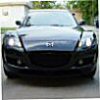
thanx to RX8 Zoomster for image of his RX8.... :)
will post more as it develops... :)

demonfire
09-22-2003, 12:09 PM
Adobe Illustrator?

Wing
09-22-2003, 12:22 PM
I don't get it :confused:

Photoshop will outline with 1 button.... it might not be perfect though.

mikeb
09-22-2003, 03:40 PM
what are you trying to do

Mockngbrd
09-22-2003, 09:26 PM
naw... using Flash to illustrate...
dun like those automated tools.... dun look as good.....
i'm not just creating an outline.... doing the whole car as an illustrated image... (now only got the front wheel done)

like these (though these are downsized considerably):
http://www.freewebz.com/mockngbrd/swoggie.txt
http://www.freewebz.com/mockngbrd/g2.txt

Just something i like to do..... :)

AfroCreame
09-22-2003, 10:52 PM
You've got waay too much time on your hands.

Mockngbrd
09-23-2003, 12:35 AM
:P

m0j0
09-23-2003, 05:39 AM
yeh i'm doing a cell shaded version of the car atm

m0j0
09-23-2003, 07:22 AM
here is my n00b attempt

Mockngbrd
09-23-2003, 12:01 PM
About 1/3 thru... sleepy now....Zzzzzz.....

RX8FanMan
09-23-2003, 06:09 PM
...

RX-GR8
09-23-2003, 10:50 PM
no time for sleep we want to see the final result. :)

Fd3BOOST
09-24-2003, 12:16 AM
Getting better..

m0j0
09-24-2003, 12:18 AM
here's another 1 i just done over the last 3 hours lol

RX-GR8
09-24-2003, 12:27 AM
very nice mojo. is that hand drawn? i drank a few beers and watched hbo boxing in the last 3 hours. :)

m0j0
09-24-2003, 12:31 AM
black and white

m0j0
09-24-2003, 01:46 AM
nah it's not hand drawn did it on my comp. Any good fights on?

AfroCreame
09-24-2003, 02:07 AM
Originally posted by m0j0
nah it's not hand drawn did it on my comp. Any good fights on?

Jerry Springer count?

QuantumTheory08
09-24-2003, 03:17 AM
...could you say what that program is again? I could see how this is used for many illustrations, etc.

Thanks,

jcs

m0j0
09-24-2003, 03:21 AM
The Program i used is Photoshop but i don't do it the easy way because it doesn't look any good that way.

I slowly make it with a straight line tool when it is zoomed in like 300% it take ages...

i'll post the easy way so u can compare the differences

m0j0
09-24-2003, 03:35 AM
here

the 1 "step one" (using a filter) still looks ok but looks to much like the photo

where the one that takes more time looks alot more toony

Mockngbrd
09-24-2003, 12:10 PM
mmm... i'd say 3/4 done....
time to sleep again... :P
here's a black with pink lines test pic... :P
(thanx again to RX8 Zoomster for the great pic to work on)

j1mb0x99
09-24-2003, 01:59 PM
Those all look pretty good... I like mockngbrd's one where it was aobut 1/3 done. It looked like the drawn one was emerging from the photo. Everything I've seen by M0j0 so far has been pretty decent... There's some talent there... Do you do that for a living?
I wish I had photoshop. I think I would be pretty good at it b/c I do all my drawing on Paint and people like it. They often ask if I did it using Photoshop or sometimes even autoCAD. Everything takes forever using Paint though. You gotta go pixel by pixel.

-JiM

h0rde
09-24-2003, 02:07 PM
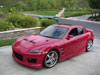
i did this with a pic of my car, i thought it looked kinda cool

mikeb
09-24-2003, 02:47 PM
horde that does look cool

RotorGeek
09-24-2003, 04:04 PM
Yeah Horde that is pretty cool. I set it as my desktop

h0rde
09-24-2003, 10:09 PM
thanks guys! here's another variation, maybe more or less cool.

Mockngbrd
09-25-2003, 10:27 AM
DONE!!!!!!! quite happy wif it.... :)

Mockngbrd
09-25-2003, 10:28 AM
without background.. :) :) :)

RX-GR8
09-25-2003, 10:30 AM
cool. maybe you could do a collage of all the different exterior colors.

mikeb
09-25-2003, 03:08 PM
very accurate

Kawi
09-25-2003, 03:10 PM
Is it vectorized then?

QuantumTheory08
09-25-2003, 05:04 PM
...no offense M0j0...but I liked the girl better; in fact is there more to here

Beautiful eyes.

m0j0
09-25-2003, 05:32 PM
wat girl? :confused:

Are you talking about my sig?

mikeb
09-25-2003, 08:11 PM
damn
the girl is gone

RX-GR8
09-25-2003, 08:53 PM
bummer

Mockngbrd
09-25-2003, 09:25 PM
multi colored

RX-GR8
09-25-2003, 09:29 PM
yes thats it! is there a way to arrange them in a more random way instead of in sequential order? can the pictures be rotated to show the rear or side?

m0j0
09-25-2003, 09:35 PM
good work man!

hows about a black 1?

Mockngbrd
09-25-2003, 10:09 PM
hmmm... black is kinda hard cos if its black..most of the detials will be lost... but here's one:

Wish i could rotate it ard., its acutally not possible (it like asking if the car in the original pic could be turned around)... wld be nice if i could though...hahaha... :)

RX-GR8
09-25-2003, 10:25 PM
yea thats what i thought. the original is static so there's not much you can do.

mikeb
09-26-2003, 01:33 AM
mojo
you brought the girl back
nice

QuantumTheory08
09-26-2003, 01:42 AM
I likes

m0j0
09-26-2003, 03:23 AM
yep :P

Jazzman
09-26-2003, 08:25 AM
Originally posted by Mockngbrd
Wish i could rotate it ard., its acutally not possible (it like asking if the car in the original pic could be turned around)... wld be nice if i could though...hahaha... :)

I remember watching Enterprise or some such sci-fi program where they took a picture and extrapolated out the 3d image. Hey... get that program!!

j1mb0x99
09-26-2003, 09:09 AM
Very Sharp! I really like the first completed one with background still in place. Cartoon on a live background. Great Job.

--JiM

Mockngbrd
09-26-2003, 12:36 PM
hahaha... thanx for all the comments... :)
I remember watching Enterprise or some such sci-fi program where they took a picture and extrapolated out the 3d image. Hey... get that program!!
i'd rather get an Enterprise... :P

zthang
09-26-2003, 09:55 PM
How hard is it to learn how to do that...and exactly how much time did it take? Is there a website that can teach me...I know how to use photoshop, but not that well. I would love to learn though. Looks friggin AWESOME by the way.

m0j0
09-26-2003, 10:17 PM
all i do is outline all the reflections and the fill them in with a sample of the colour thats already there.

here's tha RE Amemiya car tooned that i did last week


http://members.optushome.com.au/m0j0/rx8/step.jpg

http://members.optushome.com.au/m0j0/rx8/re%20toon.jpg

zthang
09-27-2003, 12:10 AM
Looks GOOD...i just wish there was a good step by step tutorial or something.

Mockngbrd
09-27-2003, 01:05 AM
u can try this guy(Makoto Garage)... he's great... he does covers for japanese magazines / for those model car kit boxes.... though the sites in Japanese... maybe can run it thru a translator..

http://www.excite.co.jp/world/url/

everyone has their own way of doing this stuff though....
mojo uses photoshop, i use macromedia Flash and the Japanese guy uses Illustrator.... its up to u to find which u prefer.

http://www.fan.hi-ho.ne.jp/m-garage/frame.html

there is a "let's draw section"
http://www.age.jp/~m-garage/gallery/comical4/360-245/gtJunior-red-360.jpg

m0j0
09-27-2003, 01:06 AM
there must be some on the net... i learnt myself i'll look 4 a tutorial u

m0j0
09-27-2003, 01:26 AM
here's a tutorial

*NOTE*
this is not my tutorial and not how i do it but it is a way !!

___________________________

Start with your picture, probably one that is full of reflections, it makes it look better in the end.

http://www.photoshopchop.com/tutorials/toon/step1.jpg

Make any modifications that you want to in the image right now. It's a best bet to shave the door handles and the emblems, because they are a pain to "cartoonify."

http://www.photoshopchop.com/tutorials/toon/step2.jpg

Make sure you select the line tool and set it at black and start outlining the car, the panels, and the major reflections. Like the picture below. You can add the lines on a different layer if you'd like, but I did not choose to...

http://www.photoshopchop.com/tutorials/toon/step3.jpg

Then select the Polygonal Lasso Tool and select an area between the black lines that you made. Or select an area with a similar color, not necessarily one that is between black lines. Like so...


http://www.photoshopchop.com/tutorials/toon/step4.jpg

Select the eyedropper tool as illustrated above, and sample a color within that area of your selection and fill it with the paintbucket. If you do not know where the paintbucket is, it is under the gradient tool, just right click and it should reveal the paintbucket tool. Alternatively, you can press ALT+Backspace, and it'll fill it just fine

http://www.photoshopchop.com/tutorials/toon/step5.jpg

Just repeat this to the other parts of the car. Here's a look at the "cartooning" in process. You might want to make the windows black, it'll save you a lot of time. Also I used a gradient for the side windows because the original windows looked similar to that. Make sure, everynow and then zoom out and make sure everything looks right.

http://www.photoshopchop.com/tutorials/toon/step6.jpg

Keep in mind if a section that you filled with color looks like crap, then leave it alone. For example lights such as the headlights should be generally left alone unless you have some extreme patience. It's amazing how one section of the picture can make the car look like crap.

Here's the final result. When you save as a jpeg, go to File>Save for Web and put the quality at whatever you want, preferably the highest, and set the blur to 0.5, it'll produce a nicer result without as many jagged edges.


http://www.photoshopchop.com/tutorials/toon/step8.jpg

mental pimp
09-27-2003, 08:58 AM
Originally posted by Mockngbrd
u can try this guy(Makoto Garage)... he's great... he does covers for japanese magazines / for those model car kit boxes.... though the sites in Japanese... maybe can run it thru a translator..

http://www.excite.co.jp/world/url/

everyone has their own way of doing this stuff though....
mojo uses photoshop, i use macromedia Flash and the Japanese guy uses Illustrator.... its up to u to find which u prefer.

http://www.fan.hi-ho.ne.jp/m-garage/frame.html

there is a "let's draw section"
http://www.age.jp/~m-garage/gallery/comical4/360-245/gtJunior-red-360.jpg

i have the flash mx program, wat do i to do wat u did to cars??
i tried trace bitmap but it doesnt come out like yours

Mockngbrd
09-27-2003, 10:47 AM
i did not use trace bitmap, i used the line tool and individually drew out the outlines/highlights of the car... took me 3 nights...

no shortcut if u want it to turn out nice

M-ster
09-27-2003, 11:02 AM
Good Job Mockngbrd!

Are you in interactive, not many people would use Flash to do graphic. Keep it up:cool:

mental pimp
09-27-2003, 11:28 AM
Originally posted by Mockngbrd
i did not use trace bitmap, i used the line tool and individually drew out the outlines/highlights of the car... took me 3 nights...

no shortcut if u want it to turn out nice

wow, i do that too, but u got mad skillz, keep it up :D

Mockngbrd
09-27-2003, 09:06 PM
thanx for the compliment.. :)
yup... was trained in interactive.... but prefer doing graphic work...
use flash to do my illustrations cos i think its easier than using Freehand or Illustrator...... ;p

carnut
09-27-2003, 09:29 PM
You guys are very talented. Neat stuff!

thklam
09-28-2003, 11:21 AM
This is a wallpaper I had done long time ago

thklam
09-28-2003, 11:23 AM
Here is another one

mental pimp
09-28-2003, 12:27 PM
did u draw it or waT? it looks like u did it by hand AWSOME

thklam
09-28-2003, 12:51 PM
I use photoshop